




How to Increase FPS in CS2: Useful Tips
Counter-Strike 2 is a competitive game, so creating the best playing environment within it means removing obstacles to victories. This approach includes your CS2 FPS settings and the real number of frames per second you get during matches. Basically, you need more FPS even if you need to decrease resolution and remove secondary visual effects for this.
How to reach the level of max FPS on your computer? This CS2 guide on DMarket Blog is all about that, providing clear practical tips.
Understanding FPS in CS2
The term FPS means frames per second. It refers to the number of frames (images) your computer generates per second.
Why is FPS important for Counter-Strike 2?
The game requires quick reactions from players to everything that they see on the screen. For example, an opponent appears from the corner. With more FPS, you see them earlier and deliver a headshot quicker.
A person with a higher FPS number has an advantage in such situations, as the opponent model will be rendered on their screen quicker. It’s only a few moments, but even this period is enough to click the shoot key.
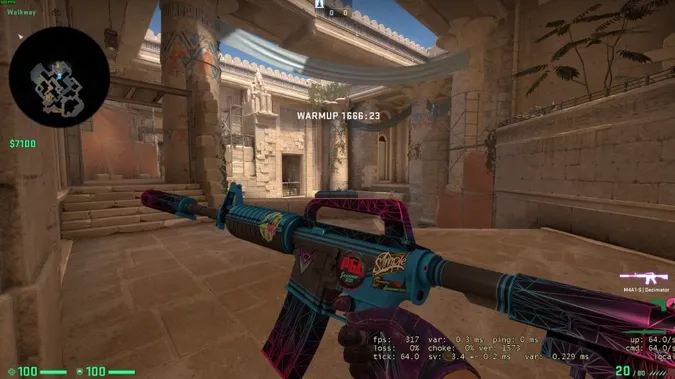
The advantage comes beyond direct duels. Snipers require quick visual info on opponents at a distance. Offensive actions will be more successful if players see the other team quicker and make lightning decisions on where to move and where to shoot. Protecting bombsites will be on the next level if you can notice every slight movement in the surrounding area.
In a nutshell—having more FPS makes you better competitively.
Is the monitor important for more FPS in CS2?
It’s an extremely important point! There’s no need to increase the CS2 FPS if your monitor does not support a refresh rate higher than 60Hz. In fact, these are directly related parameters.
A monitor’s refresh rate is the ceiling for FPS. In an ideal situation, FPS should be equal to Hz.
For example, a good gaming monitor has a refresh rate of 120Hz. This is a direct alternative to having 120 frames per second, so the computer should aim at delivering the same result.
How to See FPS in CS2
It may be really helpful to have the CS2 FPS counter on the screen during the game to see what your computer can do in reality and only then adjust various settings.
-
Enable the FPS counter in the Steam settings for all your games. The option is in the In Game tab, and you can choose the exact location of this counter on the screen.
-
Use the console command cl_showfps 1 to have the counter specifically in CS2.
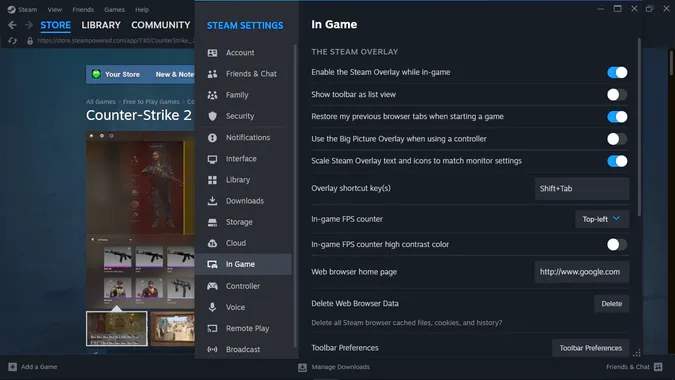
It’s not necessary to have the counter on all the time. It’s a good tool to check out what’s going on before trying to get more frames per second in CS2. And then it helps to see the results of your actions. When all is done, disable it to fully focus on the main fun—the game itself.
CS2 FPS and Computer Specs
There is absolutely no need to bother with frames per second if you have a high-end gaming PC. Counter-Strike 2 handles the task of optimization pretty well and automatically applies the best FPS settings for your current computer.
So, the most obvious answer to “How to increase FPS in CS2?” is update your computer to follow the recommended CS2 system requirements.
- Get a decent CPU
- Change your graphics card to a better one
- Install enough RAM
- Play on a gaming monitor
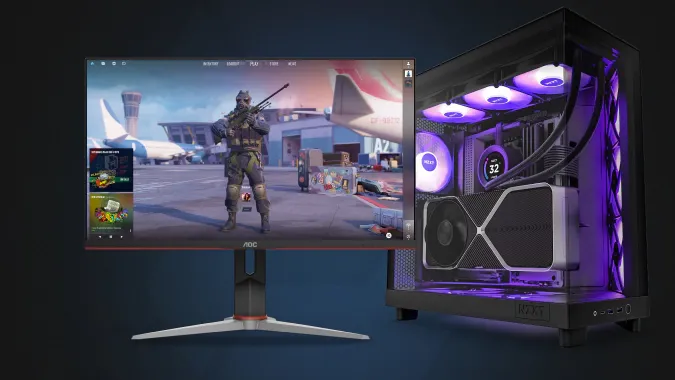
Sure this tip is not always the simplest, as good gaming hardware costs good money. So, let’s take a look at what we can do without extra investment.
How to Increase FPS in CS2: Practical Tips
A lot can be changed in the game settings, and it’s a player’s most powerful tool. Also, it is possible to get more FPS by optimizing processes on your computer. Let’s take a look at every tip individually.
Shut down all other applications
Simple as it is, this tip is very effective. Just close everything else except for Counter-Strike. Check out hidden icons in the tray and close those apps too. Make it your habit before launching the game.
If you use Discord for team communication, do it via phone. Nothing else should take computer power, only Counter-Strike.
Pause Windows Updates and make sure this feature has not been turned on automatically. However important it is to have an up-to-date operating system, you don’t want an update to start running during your matches, making everything sluggish and decreasing the FPS.
Make CS2 a high-priority process
Some processes may still run in the background. Make the computer give them less resources. Add the command -high to the CS2 launch options: head to the game properties on Steam, look for the Launch Options text field in the General tab, and add the command there.
Remove FPS limitations
There is a console command for setting up your frames per second preferences: fps_max 0. The value here changes the outcome. With 0, you remove all limitations for FPS in Counter-Strike 2, so you will get as many as your computer can produce. It’s a good option for relatively mighty PCs with good gaming monitors.
If your computer is of the high-end level, you may want to add the value with the exact number of Hz for your monitor. For example, the FPS console command will be fps_max 120 for a 120Hz monitor. The power of your PC will guarantee you don’t have performance drops during matches. At the same time, your computer will not try to produce more frames per second than the monitor can reflect.
Using this CS2 frames per second command can be helpful for average PCs as well. Make it fps_max 60 to have a stable 60 FPS during the game.
This command can be used in launch options, but it should have this form: +fps_max 0. Our dedicated guide can give you more details on CS2 console commands.
The refresh rate can be set up in the game menu. This method is more convenient if you just want to make sure your monitor works to the max of its capabilities.
Decrease game video resolution
In gaming, the parameters of frames per second and video resolution come hand in hand. For single-player campaigns, you may prefer having higher resolution (higher density of active pixels per inch).
Competitive gaming is different. Here, the speed of noticing actions is more important than the visual beauty of the virtual world. That’s why many players prefer to decrease resolution to have more CS2 FPS.
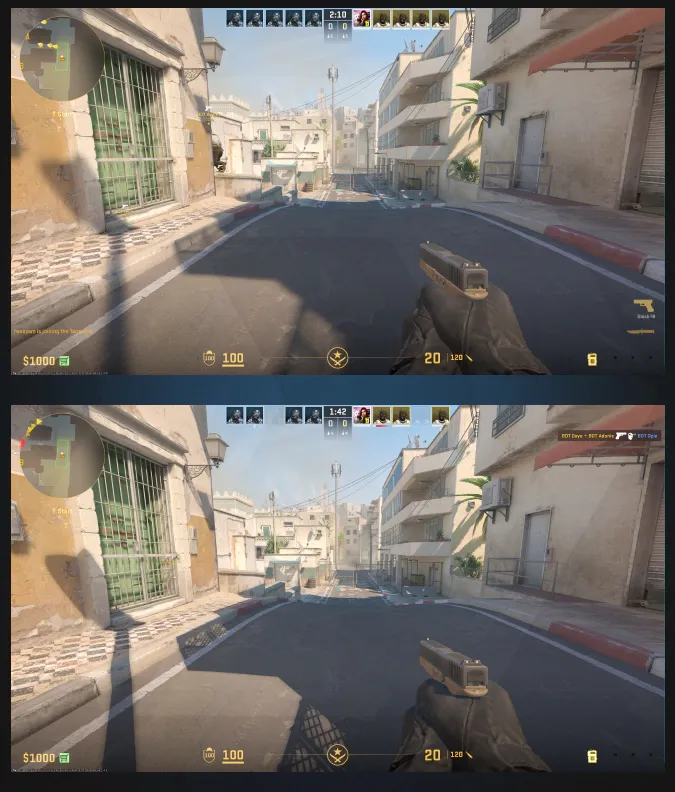
To do so, go to the settings menu, open the Video tab, and set up 1280x720. It’s lower than most modern monitors, but you will have decreased load on the computer, and it will be able to produce more frames per seconds. Having 1920x1080 may be a good idea for a good gaming PC, even if you have a 4k monitor.
Disable unnecessary visual effect
Counter-Strike 2 has significant visual improvements compared to CS:GO. But take a look at our previous point again—competitive games are more about speed, not fancy visuals. Disabling visual effects may increase FPS in CS2.
The simplest way to do this is to go to the Video setting menu and enter the Advanced Video tab. The game offers a few sets of visual effects—Current Video Values Preset. You don’t need to check every option there. Just choose Low or Medium to make the game image poorer in quality but richer in terms of frames per second.
Take a look at our CS2 settings guide for details on other options in this game menu.
Some fine-tuning of visual effects is possible with console commands and launch options. For example, you can disable the ragdoll animation with the console command cl_disable_ragdolls 1.
This set of launch options commands disables some effects: softparticlesdefaultoff +mat_disable_fancy_blending 1 +r_dynamic 0
Turn off the VSync feature
In the Advanced Video tab, you may try to disable Vsync. It’s a feature that synchronizes FPS and refresh rate. In most cases, it’s better to keep it on, so use this method only when nothing else helps you get more frames.
If you prefer launch options, use this one -forcenovsync.
However important the FPS is for your CS2 successes, it certainly is not a magic pill to skip training. Don’t overthink this parameter! Enjoy the game, improve your abilities, be part of the community—these things matter more. You may want to emphasize your status and style with great CS2 skins, as improving your inventory is an ongoing process while increasing FPS is rather a one-time activity.
Trade on the go - install the mobile app of DMarket from Google Play or App Store. Never miss great prices and unique skins. The best CS2, Dota 2, Rust and TF2 marketplace is always at hand!
Follow us on and to get more helpful СS2 guides!