



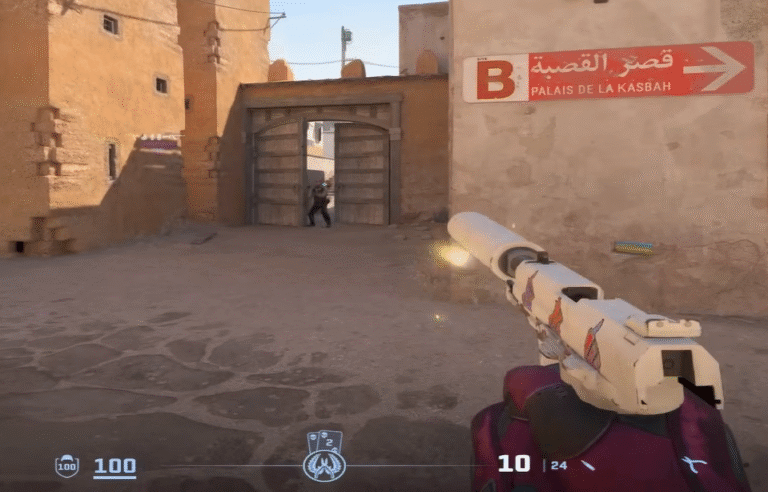
Struggling to land those crucial headshots? Feel like your crosshair is blocking your view at the worst possible moment? You’re not alone. Many players are turning to a minimalist, precision-focused solution: the dot crosshair.
A tiny dot in the center of your screen can be the key to incredible accuracy, but it’s not for everyone. This guide will walk you through everything you need to know about the CS2 dot crosshair. We’ll cover why you might want to use one, its potential drawbacks, how to create your own, and we’ll even give you some ready-to-use codes from the pros.
Let’s find your new favorite crosshair.
Why Use a Dot Crosshair in CS2?
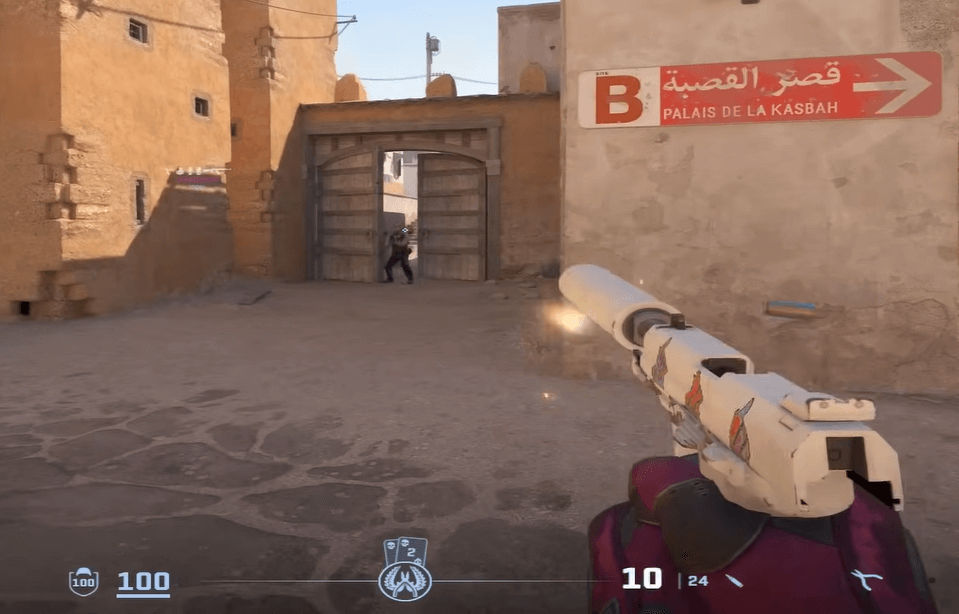
The dot crosshair is all about simplicity and precision. Here’s why it’s so popular:
- Pinpoint Accuracy: The single, small dot makes it incredibly easy to place exactly where you want a bullet to go. This is perfect for one-tap headshots with weapons like the AK-47 or USP-S.
- Unobstructed Vision: With no lines or gaps, a dot crosshair provides a completely clear view of your target. This is a huge advantage when holding tight angles or trying to spot a distant enemy’s head.
- Recoil Focus: Some players find it easier to track a weapon’s spray pattern by following a simple dot rather than a more complex, dynamic crosshair.
The Other Side of the Coin: Dot Crosshair Drawbacks
It’s only fair to talk about the challenges. A dot crosshair isn’t a magic bullet.
- Can Be Hard to See: A small dot can get lost in busy environments, like on certain parts of maps like Vertigo or Nuke. It can also blend in with dark-colored player models.
- No Spread Indication: Unlike a dynamic crosshair, a static dot won’t show you when your bullet spread is wide (e.g., when moving or spraying). You have to learn and feel these timings instinctively.
- Not for Everyone: Some players simply perform better with a traditional crosshair. It’s all about personal preference!
If you’re new to crosshair customization in general, our complete CS2 Crosshair Guide is the perfect place to start.
How to Create Your Own Dot Crosshair
Ready to build your perfect dot from scratch? It’s easier than you think. You can do all of this in the CS2 Settings menu under the Game tab and then Crosshair submenu.
Here’s a breakdown of the key settings you need to adjust:
| Setting | Recommended Value for a Dot | Why It Matters |
| Style | Classic / Static | This keeps your crosshair from moving or expanding. |
| Length | 0 | Removes the horizontal lines. |
| Thickness | 1 or 2 | This will be the diameter of your dot. |
| Gap | -3 or -4 | A negative gap pulls the crosshair parts inward to form the dot. |
| Center Dot | 1 (Enabled) | This is the most important setting! This creates the dot itself. |
| Outline | 0 or 1 | A thin outline can help the dot stand out against bright backgrounds. |
| Color | Your Choice! | Cyan, Green, and Red are popular for high visibility. |
| T | No | Disables the inner crosshair lines for scoped weapons. |
Pro Tip: Play with the Gap and Thickness settings. A gap of -3 with a thickness of 1 gives a very small dot, while a gap of -4 and thickness of 2 gives a slightly larger, more visible one.
Ready-to-Use CS2 Dot Crosshair Codes
Don’t feel like tinkering? No problem! Just copy and paste any of these codes into your CS2 console to instantly try a new crosshair. If you’re unsure how to do this, we have a handy guide on how to copy a crosshair in CS2.
Popular Pro & Streamer Dot Crosshairs
These are tried and tested by some of the best players in the world.
- ZywOo’s Dot Crosshair: The French superstar uses a classic, no-fuss green dot.
CSGO-5k8oN-k8nTB-VpJmC-tj7Qc-zo8FB - m0nesy’s Dot Crosshair: A young AWPer with incredible aim uses a very small, precise cyan dot.
CSGO-8nF8o-5osnB-6bnOC-rzGOc-7Q8FB - shroud’s Dot Crosshair: The legendary streamer is known for his clean aim and a simple, effective dot.
CSGO-B88oN-6o8TB-fJmOC-NzGOc-fQ8FB
The Best Cyan Dot Crosshair Code
Looking for that perfect, high-visibility cyan dot? This one is a community favorite for its perfect size and vibrant color that stands out on most surfaces.
CSGO-8s5oN-k8sTB-VpJmC-tj7Qc-zo8FB
How to Fine-Tune Your Dot for Maximum Performance
You’ve got a dot, but is it your dot? Here’s how to make it perfect for you.
- Test for Visibility: Load up a map with different lighting. A great way to practice is on our Mirage smokes guide page, then jump into a game to see how your crosshair holds up in the sandy environment. Can you always see your dot against walls, enemies, and smoke edges?
- Adjust the Size: If you keep losing track of it, slightly increase the Thickness. If it feels like it’s blocking your target at long range, decrease it.
- Experiment with Color: Cyan and green are popular because they contrast with most in-game colors. But don’t be afraid to try pink or a bright red if it works for your eyes. The goal is to have it stand out without being distracting.
- Practice, Practice, Practice: Head into a CS2 Deathmatch server or use our CS2 practice commands to get a real feel for how your new dot handles in combat.
Dot Crosshair vs. Traditional Crosshair: Which is Right for You?
Still on the fence? Here’s a quick comparison:
- Choose a Dot Crosshair if: You value precision headshots, play a lot of AWP, or find traditional crosshairs cluttered.
- Stick with a Traditional Crosshair if: You rely on visual feedback for spray control, often lose track of a small dot, or are just more comfortable with a classic style.
Remember, even pros are split on this. While ZywOo and m0nesy use dots, other legends like s1mple and NiKo use more traditional styles. Check out their full setups in our s1mple CS2 settings and NiKo CS2 settings guides for inspiration.
Frequently Asked Questions (FAQs)
1. What is the best dot crosshair code in CS2?
There’s no single “best” code as it comes down to personal preference. However, a great starting point is m0nesy’s cyan dot crosshair (CSGO-8nF8o-5osnB-6bnOC-rzGOc-7Q8FB), renowned for its perfect size and high-visibility color. You can find more pro codes in the guide above to test and find your favorite.
2. Is a dot crosshair better for aiming?
A dot crosshair can be better for precision aiming and headshots because it doesn’t obstruct your target and allows for exact placement. However, it doesn’t provide visual feedback for weapon spray, so it requires you to learn recoil patterns by feel. It’s a trade-off between pure precision and informational feedback.
3. Why can’t I see my dot crosshair sometimes?
A small dot can get lost in visually busy areas of maps like Mirage or Vertigo, or against dark character models. If you have this issue, try increasing the Thickness to 2 or adding an Outline to your crosshair in the settings to make it stand out more
4. How do I make my own dot crosshair from scratch?
Go to Settings > Game > Crosshair. The key settings are: set Center Dot to 1 (Enabled), Length to 0, Gap to -3 or -4, and choose a bright Color like Cyan or Green. For a detailed walkthrough, check out our complete CS2 Crosshair Guide.
5. Do professional players use dot crosshairs?
Yes, many top-tier pros do! Players like ZywOo and m0nesy famously use dot crosshairs for their pinpoint accuracy. That said, an equal number of pros like s1mple and NiKo use traditional crosshairs, proving that the best choice is ultimately what feels most comfortable for you. You can explore their configs in our pro settings guides.