



Trade offers are one of the most convenient ways to exchange items, skins, or keys on Steam, whether it’s for CS2 or any other game. Whether trading with friends or non-friends, understanding trade offers and Steam’s security rules ensures a smooth and safe transaction.
What is a Steam Trade Offer?
A Steam trade offer allows you to exchange items with another Steam user without needing to be online at the same time. Unlike direct trades in-game, trade offers can be managed from your inventory, making trading faster and safer.
Benefits for CS2 players:
- Trade rare knives or skins without waiting for matchmaking.
- Avoid scams with Steam’s trade hold protection.
- Send items to friends or anyone with a public inventory.
How to Send a Trade Offer on Steam
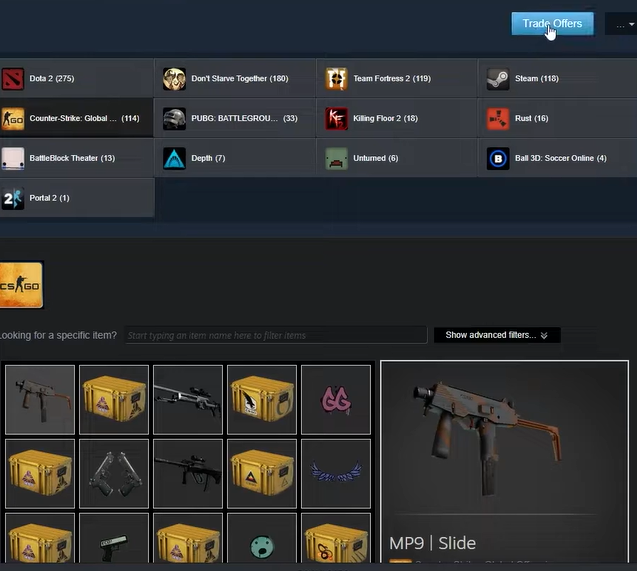
Here’s a step-by-step guide to sending a trade offer:
1. Trade with Friends
- Open your Steam client or Steam mobile app.
- Go to your friend’s profile.
- Click More > Offer a Trade.
- Select items from your inventory and add items from their inventory if available.
- Click Make Offer to confirm.
2. Trade with Non-Friends
If the user is not on your friends list, you can still send an offer if they have a public inventory:
- Open the user’s Steam profile.
- Click More > Send Trade Offer.
- Choose the items you want to trade.
- Review and confirm your offer.
Tip: Make sure their inventory is public. You can learn how to make your Steam inventory public if it’s private.
Understanding Trade Security
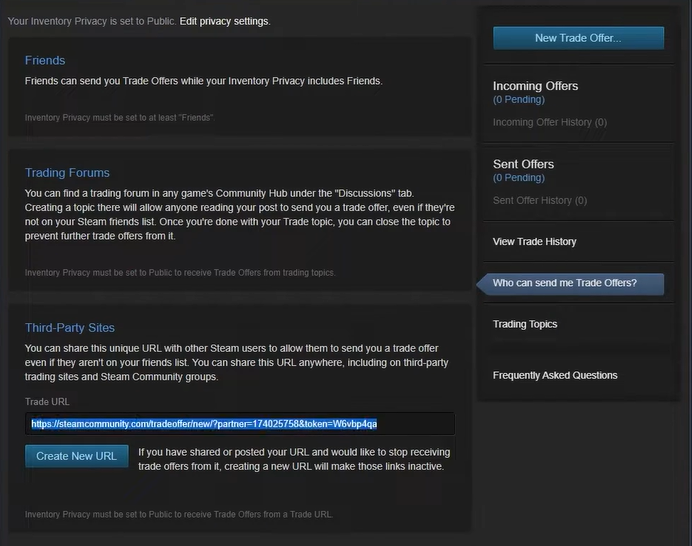
Steam Trade URL
- Each user has a unique trade URL that can be used to send offers without adding them as a friend.
- Find your trade URL in Steam Settings > Trading > Who Can Send Me Trade Offers.
Trade Hold & Safety
- Steam sometimes holds trades for up to 15 days for security.
- Avoid trading outside Steam or giving your login info, as this is a common scam tactic.
Learn more about trading safely with our CS2 Knife Cases Guide.
Tips for Smooth Trading
- Check item float values before trading (important for CS2 skins).
- Always confirm trade items before clicking accept.
- Avoid trading with users who have limited or new accounts.
Frequently Asked Questions (FAQs)
Q1: Can I trade with non-friends on Steam?
A1: Yes, if their inventory is public or you have their trade URL.
Q2: How long does a trade offer take?
A2: Most trades are instant, but some may have a trade hold of up to 15 days.
Q3: Can I cancel a trade offer?
A3: Yes, you can cancel any pending trade offer from your Steam inventory.
Q4: Is trading safe in Steam?
A4: Yes, if you follow Steam’s trade guidelines and avoid external sites.