



Whether you’re climbing ranks in CS2 or transitioning from CS:GO, having the right monitor can drastically improve your gameplay. From lightning-fast refresh rates to crystal-clear visuals, the right display is your secret weapon. In this guide, we’ll cover everything you need to know about picking the best monitor for CS2, including pro player favorites, technical tips, and budget options.
Why Monitor Choice Matters in CS2
CS2 is all about precision, reaction time, and situational awareness. Even small delays or motion blur can cost you rounds. The monitor you choose affects:
- Input lag: Lower input lag = faster reactions
- Refresh rate: Higher Hz = smoother motion and clearer tracking
- Response time: Faster pixel transitions reduce ghosting
- Resolution & clarity: Balance detail with FPS performance
Most pros stick with 1080p monitors around 24–24.5″, prioritizing speed over visuals. However, with modern GPUs, some high-end IPS and OLED monitors are now competitive even at higher resolutions. To maximize your performance, pair your monitor with optimized CS2 Pro Player Settings and learn the best crosshair settings to match your gameplay style.
Key Features to Look for in a CS2 Monitor
1. Refresh Rate
- Minimum: 144Hz (good for casual competitive play)
- Recommended: 240–360Hz (pro-level responsiveness)
- Ultra competitive: 400–600Hz (if your PC can push FPS)
2. Response Time
- Look for 1ms or less (TN, IPS Fast, or OLED)
- Faster response time ensures crisp crosshair tracking
3. Panel Type
- TN: Lowest input lag, but colors and angles suffer
- IPS: Good balance of speed and color accuracy
- OLED: Premium clarity with low latency, though expensive
4. Screen Size & Resolution
- Standard: 24–24.5″ 1080p
- Larger screens or 1440p can be used if GPU can maintain FPS
5. Additional Features
- G-Sync / FreeSync: Reduce screen tearing
- Low Blue Light / Flicker-Free: Comfort for long sessions
For pro-level setups, many players combine their monitor with fine-tuned video settings to reduce visual clutter and maximize FPS.
Top Monitors Used by CS2 Pros
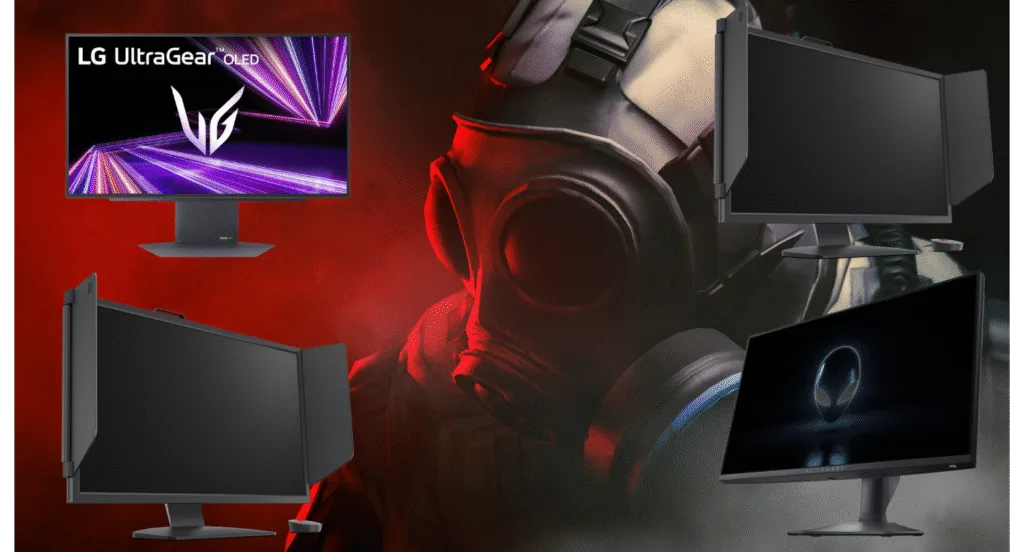
Here’s a glance at what professional CS2 players prefer:
| Monitor Model | Refresh Rate | Panel Type | Pros |
| BenQ ZOWIE XL2566K | 240–360Hz | TN | Used widely in tournaments, ultra low input lag |
| ZOWIE XL2546K | 240Hz | TN | Classic esports favorite, great for fast reflexes |
| Alienware AW2523HF | 360Hz | IPS | Smooth visuals, competitive response, better color |
| LG UltraGear 27GX790A-B | 480Hz | OLED | Extreme clarity, fast response, top-end gaming |
Tip: Even if you choose a slightly slower monitor, optimizing settings like resolution scale and refresh rate in-game can help you achieve similar performance.
Combine your monitor with training routines on aim maps or improve your movement skills to fully leverage the display’s potential.
Budget vs Pro-Level Monitors
Budget-Friendly Options
- Aimed at casual or intermediate players
- Usually 144–240Hz TN or IPS monitors
- Great choice for those who don’t need 400+ Hz
Pro/Competitive Options
- 360Hz–600Hz monitors
- Minimal input lag, ultra-fast response times
- Often smaller screens (24″) to maintain focus and reduce eye travel
If you’re serious about improving your CS2 gameplay, pairing a high-refresh monitor with guides like how to get better at CS2 will give you a tangible advantage.
Practical Tips for Choosing Your CS2 Monitor
- Pair it with your GPU – Don’t buy a 360Hz monitor if your PC can’t push 360 FPS consistently.
- Check ports – Use DisplayPort for max refresh rate; HDMI may limit performance.
- Avoid gimmicks – RGB and curved screens look cool but rarely help competitive CS2.
- Consider your use case – If you also play RPGs or watch movies, IPS or OLED may be better than TN.
- Test settings – Adjust brightness, contrast, and response time presets in the monitor’s OSD.
For a complete setup, also check out best CS2 sensitivity settings and map callouts to fully optimize your in-game awareness.
FAQs About CS2 Monitors
1. Do I need a 360Hz monitor for CS2?
Not necessarily. 240Hz is excellent for most players, but higher refresh rates benefit only if your PC can maintain high FPS.
2. Are TN panels better than IPS for CS2?
TN panels have slightly lower input lag, but modern IPS panels are catching up with fast response times and better color.
3. Should I go with a bigger screen?
Larger screens look impressive but may slow down your reaction speed due to increased eye travel. Most pros stick with 24–24.5″.
Combine this with guides like how to change crosshair in CS2 for improved aiming accuracy.
Choosing the Best Monitor
Choosing the best monitor for CS2 is all about speed, precision, and comfort. While pro monitors like the ZOWIE XL2566K dominate esports setups, high-quality IPS or OLED screens now offer competitive performance with better visuals.
Pair your monitor choice with optimized CS2 Pro Player Settings, sensitivity, and map knowledge for a real competitive edge.Your ideal monitor depends on your budget, GPU, and playstyle, but focusing on refresh rate, response time, and panel type will always be your best strategy.