



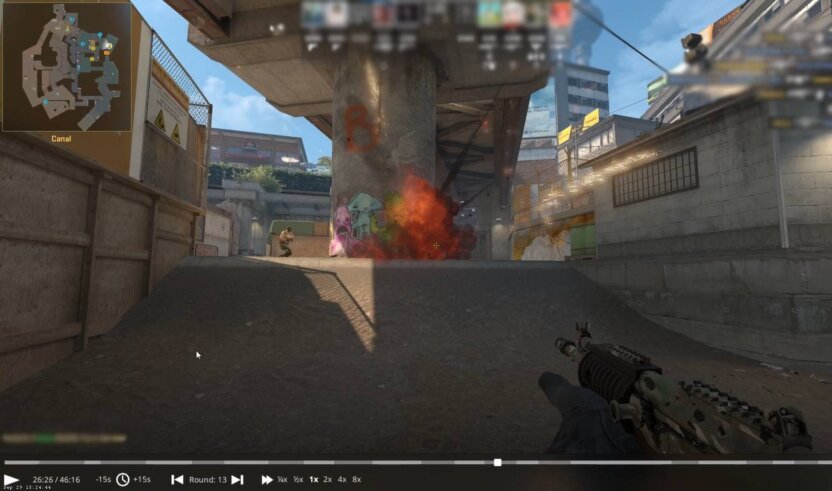
Watching your own demos is one of the fastest ways to improve in CS2, but nobody wants to sit through 40 minutes just to find one round. Whether you’re reviewing mistakes, studying utility, or checking clutch moments, knowing how to fast forward CS2 replays saves a ton of time.
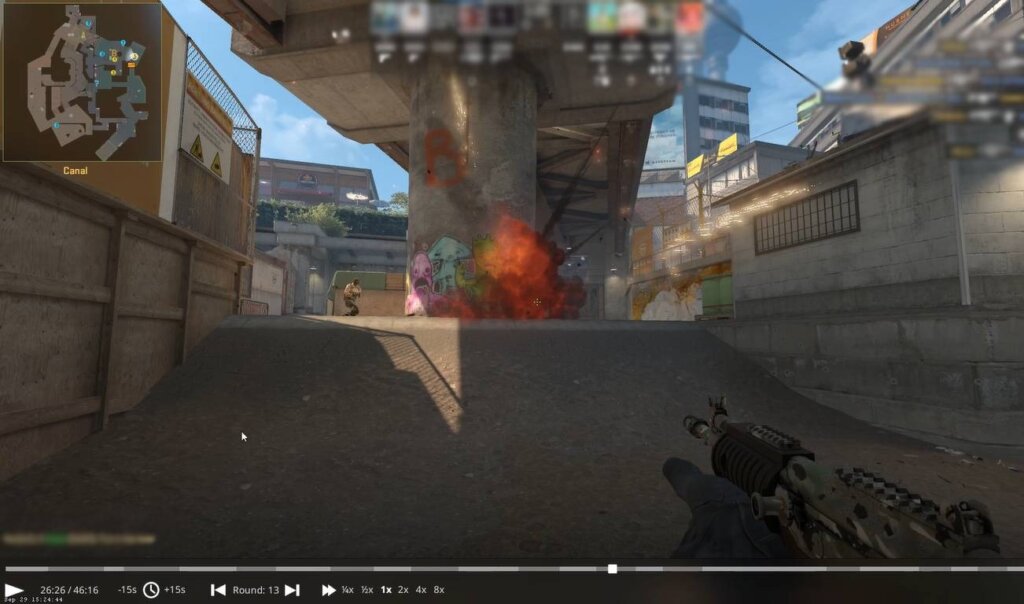
In this guide, you’ll learn:
- How to speed up CS2 replays
- All CS2 replay controls you actually need
- Legacy CSGO replay commands that still work
- Pro tips for demo analysis without wasting time
This works for Premier, Competitive, FACEIT demos, and even older CSGO replays.
How to Open a CS2 Replay (Demo)
Before fast forwarding, make sure your demo is loaded.
Method 1: From CS2 Match History
- Open CS2
- Go to Watch → Your Matches
- Click Download and then Watch
Method 2: From Demo Folder
If you manually downloaded a demo, place it in your CS2 demo folder.
(If you’re unsure where demos are stored, see our CS2 demo folder guide.)
Once the demo loads, pause it — now you’re ready to control playback.
How to Fast Forward CS2 Replay (Best Method)
The fastest and most reliable way is through console commands.
Step-by-Step: Speed Up CS2 Replays
- Press the ~ (tilde) key to open the console
- Type:
demo_timescale 2
- Press Enter
This will play the replay at 2x speed.
Common Speed Values
| Command | Speed |
| demo_timescale 0.5 | Slow motion |
| demo_timescale 1 | Normal speed |
| demo_timescale 2 | Fast |
| demo_timescale 4 | Very fast |
| demo_timescale 8 | Skip rounds quickly |
This is the best way to fast forward CS2 and CSGO replays.
For a full list of demo-related commands, check our CS2 replay commands guide.
CS2 Replay Controls (Keyboard & Mouse)
Besides timescale, CS2 includes built-in demo controls.
Default CS2 Replay Controls
- Space → Play / Pause
- Mouse Wheel Up → Fast forward
- Mouse Wheel Down → Rewind
- Left Arrow → Go back a few seconds
- Right Arrow → Skip forward
These controls are great for quick jumps, but console commands are still more precise.
How to Fast Forward CSGO Replays (Legacy Demos)
Older CSGO demos work almost the same way in CS2.
How to Speed Up CSGO Replays
demo_timescale 4
Still supported
No config needed
Works on downloaded demos
Best Times to Use Fast Forward in CS2 Demos
Fast forwarding isn’t just about speed — it’s about smart review.
Use fast forward to:
- Skip freeze time and buy rounds
- Jump between clutches
- Find key executes and retakes
- Review utility lineups on maps like Mirage, Inferno, or Overpass
If you’re studying map movement or utility usage, combine demos with CS2 custom maps for practice.
Pro Tips for Analyzing CS2 Replays Faster
- Use 8x speed to skip dead rounds
- Drop to 0.5x speed during clutch moments
- Combine demo review with callout guides like:
- Watch POVs after adjusting crosshair or sensitivity settings
- Review demos before opening cases like CS2 knife cases or browsing CS2 cases with butterfly knives — focus first, skins later
Common Issues When Fast Forwarding CS2 Replays
Demo feels laggy?
Lower your video settings or cap FPS. Demo playback is still resource-heavy.
Console command not working?
Make sure:
- Console is enabled
- Demo is playing (not paused)
- You typed demo_timescale, not host_timescale
Demo skips too much?
Lower the value:
demo_timescale 2
Frequently Asked Questions (FAQs)
Can you fast forward CS2 replays?
Yes. Use demo_timescale or mouse wheel controls.
How do I speed up CS2 demos quickly?
Open console and use:
demo_timescale 4
Do CSGO replay commands still work in CS2?
Yes. Most CSGO replay controls are fully supported.
What is the fastest replay speed in CS2?
You can go up to demo_timescale 16, but 8x is usually the sweet spot.
Can I rewind CS2 replays?
Yes, using mouse wheel down or demo controls.
Final Thoughts
If you’re serious about improving, demo review is non-negotiable — and knowing how to fast forward CS2 replay makes it painless. With the right CS2 replay controls, you can review matches faster, learn more, and spend less time scrubbing timelines.