



Good communication wins games in Counter-Strike 2. Whether you’re calling a fast B rush, warning about a flank, or coordinating utility, push to talk in CS2 is essential for clean, clear team comms.
In this guide, you’ll learn how to talk in CS2, how to change the CS2 push to talk button, fix common voice issues, and optimize your setup for competitive play.
What Is Push to Talk in CS2?
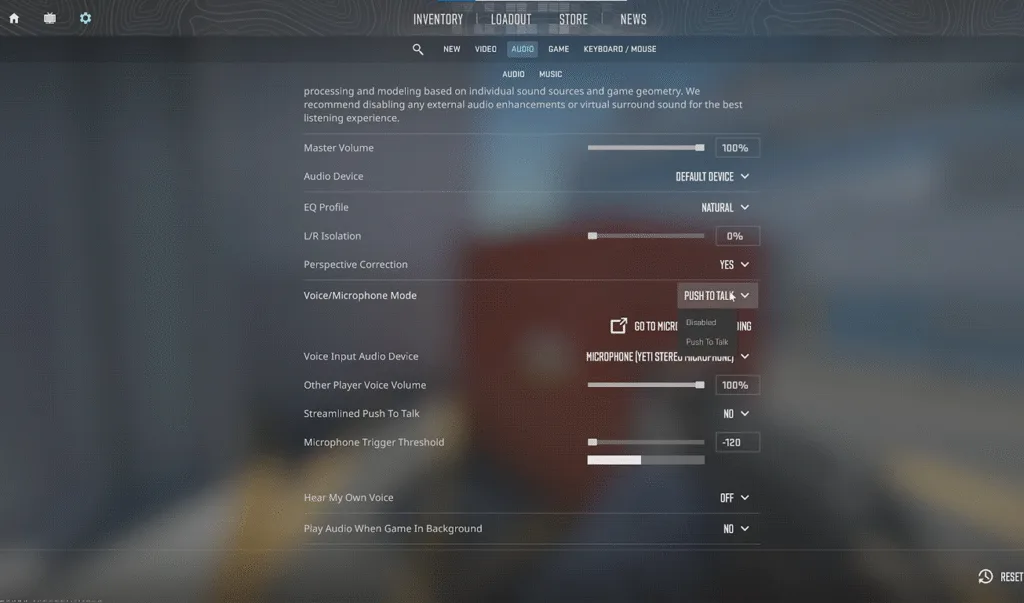
Push to talk (PTT) lets you transmit your voice only while holding a specific key. Unlike open mic, it prevents background noise, keyboard sounds, and breathing from flooding team chat.
This system is the same concept players remember from push to talk CSGO, but CS2 has a slightly updated settings layout.
Why push to talk matters:
- Cleaner team communication
- No accidental noise
- Better focus during clutch moments
- Preferred in Competitive & Premier
Default CS2 Push to Talk Button
By default:
- Key: K
- Command: +voicerecord
Most players change this because K is awkward in real matches.
How to Change Push to Talk in CS2 (Step-by-Step)
Method 1: Change It via Settings (Recommended)
- Open CS2
- Go to Settings → Keyboard / Mouse
- Find Communication
- Click Push-to-Talk
- Press your desired key
- Save changes
That’s it — you can now talk in CS2 using your new keybind.
Best Push to Talk Keys in CS2 (Pro-Friendly)
| Key | Why It’s Good |
| V | Most popular, easy thumb access |
| Mouse Button 4 / 5 | Doesn’t interfere with movement |
| Caps Lock | Easy reach, rarely used |
| Alt | Quick press with thumb |
| C | Common for casual players |
Many pros bind voice to a mouse side button so movement and aim stay uninterrupted.
If you’re optimizing your setup, check out how top players configure their controls in guides like s1mple CS2 settings or NiKo CS2 settings for inspiration.
How to Set Push to Talk Using Console
If you prefer console binds (or settings aren’t saving):
- Enable console from settings
- Open console (~)
- Enter:
bind v +voicerecord
Replace v with any key you prefer.
You can also save this permanently using a CS2 autoexec, which pairs well with other binds from your CS2 binds guide.
How to Talk in CS2 Team Chat vs All Chat
| Chat Type | Key |
| Team Voice Chat | Push to Talk key |
| All Voice Chat | U (default) |
| Text Chat | Y (team), U (all) |
Avoid using all-chat voice unless necessary — it gives away info.
CS2 Push to Talk Not Working? Fix It Fast
If your mic isn’t working, try these fixes in order:
1. Check Microphone Input
- Settings → Audio
- Select correct microphone
- Test mic input level
If you’re stuck, follow the full CS2 mic not working troubleshooting guide.
2. Enable Voice Chat via Console
voice_enable 1
You can also explore more commands in the CS2 voice enable command Guide.
3. Check Key Conflicts
Your push-to-talk key might already be bound.
Use:
unbind v
bind v +voicerecord
4. Windows Sound Settings
- Right-click speaker → Sound Settings
- Set correct input device
- Disable exclusive mode if needed
Best Audio Settings for Clear Voice in CS2
For competitive play:
- Voice Receive Volume: 80–100%
- Mic Boost: Moderate (avoid distortion)
- Noise Suppression: On
- Streamlined Push to Talk Key
For deeper optimization, see the best CS2 audio settings guide.
Push to Talk vs Open Mic in CS2
| Feature | Push to Talk | Open Mic |
| Background noise | None | Common |
| Competitive use | Best | Risky |
| Control | Full | Limited |
Verdict: Push to talk is always better for ranked, Premier, and FACEIT.
Pro Tip: Combine Voice + Callouts
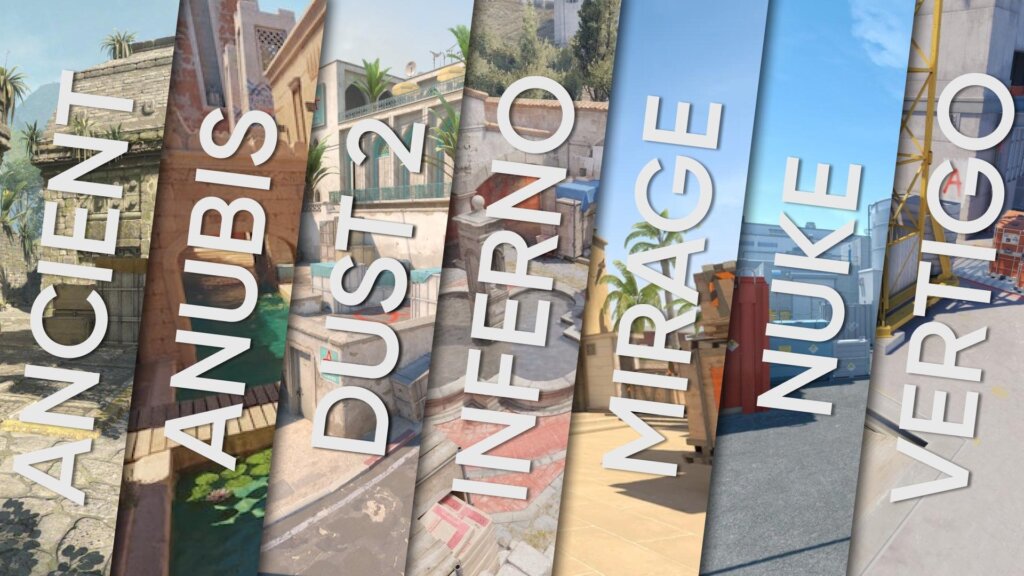
Voice chat works best when paired with map callouts. If you’re serious about improving team comms, bookmark these:
Clear calls = more rounds won.
Frequently Asked Questions (FAQs)
What is the push to talk button in CS2?
By default it’s K, but most players rebind it to V, mouse buttons, or Caps Lock.
Can I use the same push to talk key as CSGO?
Yes. CS2 supports the same CSGO push to talk button behavior using +voicerecord.
Why can’t my team hear me in CS2?
Most issues come from incorrect mic input, disabled voice chat, or keybind conflicts. Check your settings and console commands.
Is push to talk required in CS2?
Not required, but strongly recommended for competitive play.
Final Thoughts
Mastering the CS2 push to talk button might seem small, but it’s one of the easiest ways to improve teamwork, clarity, and win rate. Clean comms separate average players from smart ones.
Set it up once, get comfortable with your keybind, and pair it with strong map knowledge and utility usage. Your teammates will thank you — and your rank will too.