




How to Remove Bots in CS2 | All You Should Know about Bots
Counter-Strike 2 is a multiplayer game alright. But bots are present here too, adding their artificial intelligence to our practice sessions and games on custom servers. Those unreal Terrorists and Counter-Terrorists may be quite helpful for different game scenarios. Still, they also may block your path to perfect training conditions or ruin your fun with friends. In such situations, we need to be strong and simply remove bots in CS2. How? This article is all about some (pretty simple) methods.
Understanding Bots in Counter-Strike 2
No, guys, we are not going to delve into the mysterious personalities of CS2 bots. Let’s try and understand them in a much more practical way. Why do we need them anyway?
- You must practice with bots to become a better player
sEvery skill level requires different types of training you cannot have in normal matches. Beginners may want a safer environment to practice simple shooting and learn maps. Intermediate players will benefit from throwing smokes within close-to-real situations. Advanced competitors may set specific conditions to master very unique aspects. Anyone will play matchmaking better after short warm-ups with bots.
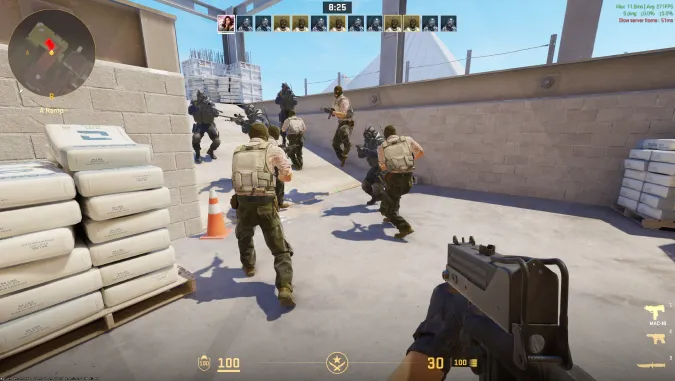
These are just examples. The excitement of proper matchmaking often prevents us from trying out something new and risky. Playing against other people is kind of more stressful, and you need to show your best—and the bots help you always be on top of your game.
Alongside playing with bots to improve your game, check out other advice from our list of the best CS2 tips.
- Bots are excellent fillers for custom servers
You plan to have a fun time with friends, but there are only seven of you. Bots are an effective solution to form two full teams.
In general, CS2 bots are AI-controlled simulations of players. They have built-in behavior patterns, and the game dynamically adjusts them according to situations. You can set the difficulty of bots, from super simple opponents to really skilled ones.
How to Remove Bots in CS2
Whatever your reason for using bots is, sometimes it’s necessary to remove them from your game. For example, to memorize maps and jump-throw spots without any distraction. Or to free a spot for another friend on your custom server.
Let’s describe how to remove CS2 bots in this step-by-step guide:
- Enable the developer console in the game settings (or make sure it’s enabled).
- Press the tilde key (~) after selecting the game mode and a map to play on (maybe one of the best CS2 maps). This will activate the console. Do it on the screen of choosing/revealing your team, T or CT, before the actual game starts.
- Add console commands to remove bots (bot_kick — all bots will be removed from this CS2 match; bot_kick T — this command removes bots only from the Terrorist teams; bot_kick CT — to have all Counter-Terrorist bots removed).
- Start playing and enjoy Counter-Strike 2;
- If necessary, press the tilde key in the middle of your match and use the same CS2 commands to remove bots.
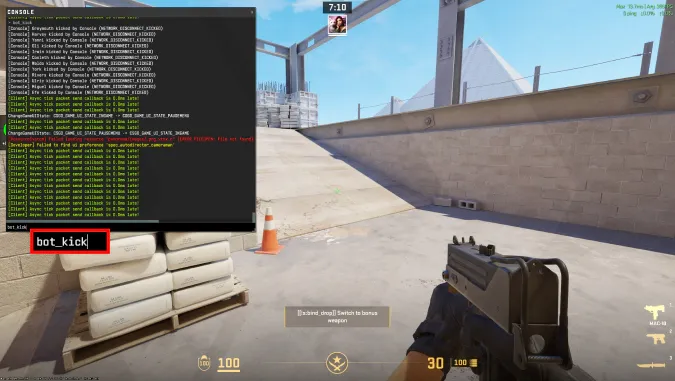
Such commands are a versatile tool, and they sure allow players to make lots of fine adjustments to the game. We’ve collected the most useful CS2 console commands in a dedicated article, so don’t hesitate to check it out.
As for kicking bots in Counter-Strike 2, let’s name a couple more commands. I’ve decided to mention them separately, as they require some knowledge about what’s going on in your match: the bot names or their difficulty level.
- bot_kick Name—use it to remove a specific bot. The names are visible above the bots in the beginning of each round, so notice one and add it to the command.
- bot_kick easy / normal / hard / expert—CS2 bots may have different skill levels, and we can remove those we don’t want to have in our game, like expert bots for beginners or easy bots for advanced training.
How to Add Bots in CS2
You may need to add bots back to your server or training game, for example, to compensate for that one friend who always stops playing earlier. Or to change practice conditions when you want to improve movement in CS2 with some bots as light distraction.
Here are some commands to do so.
- bot_add—a bot will be added to your team. It may happen at the start of the next round, during respawn.
- bot_add_t—with this command, you can add a bot to the Terrorist team.
- bot_add_ct—the Counter-Terrorists get one bot.
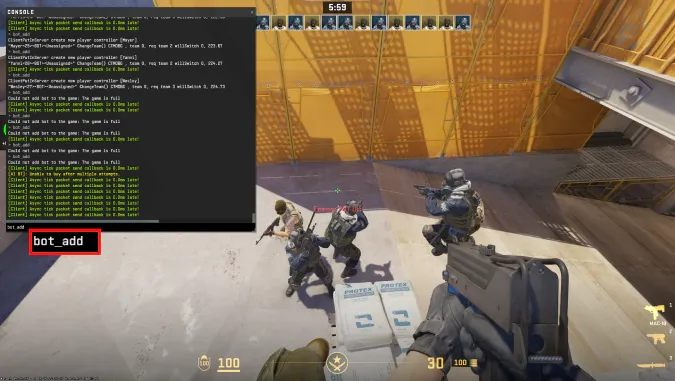
The basic command bot_add has a few optional values: Team, Difficulty, and Name. Let’s take a look at a couple of examples:
- bot_add T Hard Valdo—you will get one bot to the Terrorist team, of the Hard difficulty level, and the name will be Valdo. Only existing bot names are possible. Do you even notice the names of CS2 bots?
- bot_add CT Easy—a bot of the Easy level will be added to the Counter-Terrorist team, The name will be chosen randomly.
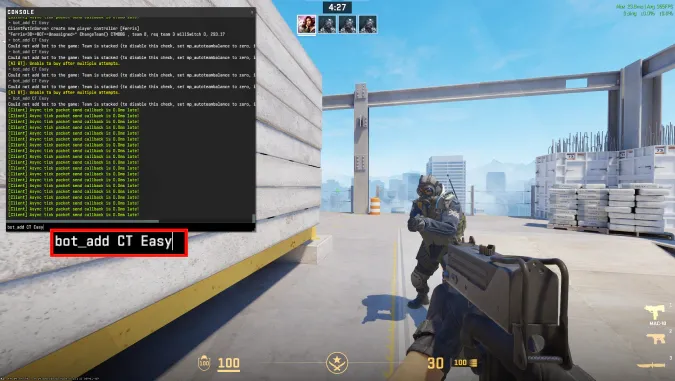
Difficulty levels and names can be added to the commands bot_add_t and bot_add_ct, following the same patterns.
Tips and Tricks for Bot Management
Counter-Strike 2 offers more options for managing game bots than just adding and removing them. Console commands for such settings are listed in this section of our guide.
- bot_quota 10—you can set the total number of bots in your game. Ten is the default value. The bots will be equally distributed to both teams. As a random idea for this command, you can add a lot of bots and check how you see them with different settings for FOV in CS2. Or, use the quota practically: to not have excessive bots and to focus on PvP.
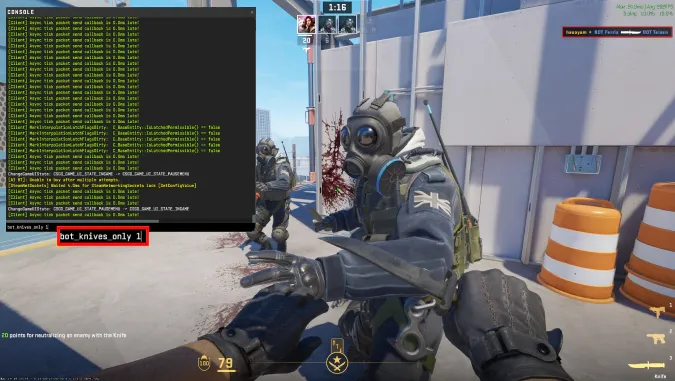
- bot_knives_only 1—all bots will only have knives as their weapon. It’s a good way to have them present in the game but without interfering in your activities, such as long-range shooting or tactical rotations on the map. Replace the value with 0 to return to the normal settings: bot_knives_only 0. Both these commands become active in a new round, but you can use mp_restartgame 1 to do that immediately.
- bot_stop 1—bots will freeze, so you will be able to do whatever you want to. It’s a good alternative to removing CS2 bots, as with this command they even stop shooting. Still, there is one condition—cheats should be enabled with the command sv_cheats 1. To turn this option off, use bot_stop 0, so the bots will start playing again, and sv_cheats 0 to disable cheats on your server / in your offline game.
- bot_difficulty 0–3—set the difficulty level for your bots. With the value 0, bots are easy, and 3 makes them experts. Choose anything in between to see if that works for your skills and needs. These difficulty levels are totally different from ranks in Counter-Strike 2, but in a very simplified way, the numbers reflect a player’s journey through the ranking ladder.
It is a good idea to consider CS2 bots as some pretty well-made tools to improve your game skills. They are meant to help you prepare for the real fun in multiplayer matches. Don’t hesitate to use them as such—our article will help you to get control over them.
But also, don’t get stuck in training with bots for too long and don’t add too many bots to your gaming sessions with friends. Experiencing Counter-Strike 2 with other human beings is entertainment and competition of the next level!
Trade on the go - install the mobile app of DMarket from Google Play or App Store. Never miss great prices and unique skins. The best CS2, Dota 2, Rust and TF2 marketplace is always at hand!
Stay tuned to our blog, and for more interesting and helpful info about Counter-Strike 2 and skins trading.