



Even if you’ve got a solid rig, video settings can still bottleneck your performance and cause FPS dips. In Counter-Strike 2, milliseconds matter.
Tuning your visuals can lead to:
- Higher, more stable FPS (less stutter).
- Lower input lag.
- Sharper visibility in smoke and dark spots.
- Consistent performance across maps like Dust 2 or Inferno.
If your FPS is unstable, consider checking CS2 launch options to optimise startup performance.
1. Basic In-Game Video Settings (Start Here)
| Setting | Recommended | Why |
| Display Mode | Fullscreen | Lower input lag, smoother performance. |
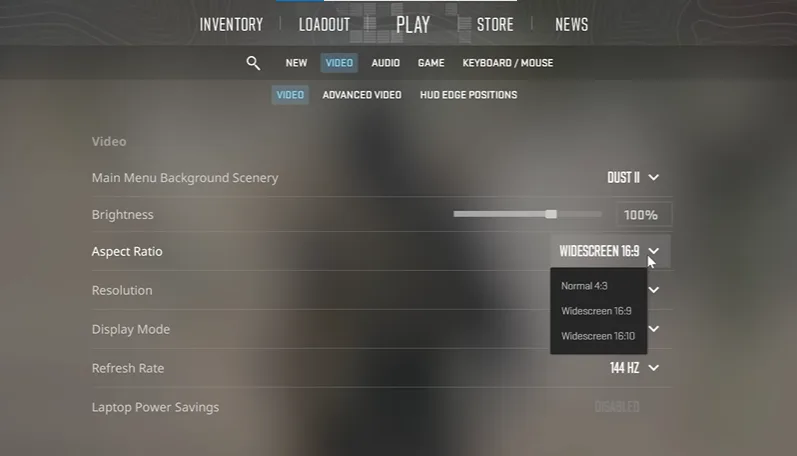
| Aspect Ratio | Native (or 4:3 if preferred) | Keeps crisp image, easy aiming. |
| Resolution | Native or lower (1280×960) | More FPS on lower res. |
| Boost Player Contrast | Enabled | Easier to spot enemies in dark areas. |
| V-Sync | Disabled | Removes input delay. |
| Shadow Quality | Low/Medium | Shadows hurt FPS; balance visibility. |
| Texture Detail | Low/Medium | Lower GPU strain. |
| Shader Detail | Low | Improves FPS during grenade fights. |
| Particle Detail | Low | Less visual clutter. |
| Ambient Occlusion | Disabled | Cosmetic only. |
| HDR | Performance | Keeps visuals nice without hurting FPS. |
Pro Tip: Use cl_showfps 1 or read our Show FPS in CS2 guide to monitor your frame rate.
If FPS dips persist even on a good setup, see CS2 freezing fixes for possible causes.
2. Advanced Video Settings for Competitive Players
Once the basics are set, tweak the following for maximum clarity.
Resolution & Aspect Ratio
Many pros use stretched resolutions like 1280×960 or 1024×768 — giving larger player models and improved visibility.
Learn more about this style in our CS2 stretched res guide.
Anti-Aliasing & Texture Filtering
- Use CMAA2 or 2× MSAA for a balance between smooth edges and FPS.
- Texture Filtering: Set to Performance or Bilinear.
- Avoid “Very High” settings, they add GPU load for minimal gain.
Shadows, Lighting & Effects
- Global Shadow Quality: Medium = best balance.
- Motion Blur, Depth of Field: Always Off.
- Ambient Occlusion: Off for clearer corners and bombsites.
For smoother visual performance, check out CS2 raw input settings to ensure low latency aim tracking.
3. AMD-Specific Tweaks (CS2 AMD Settings)
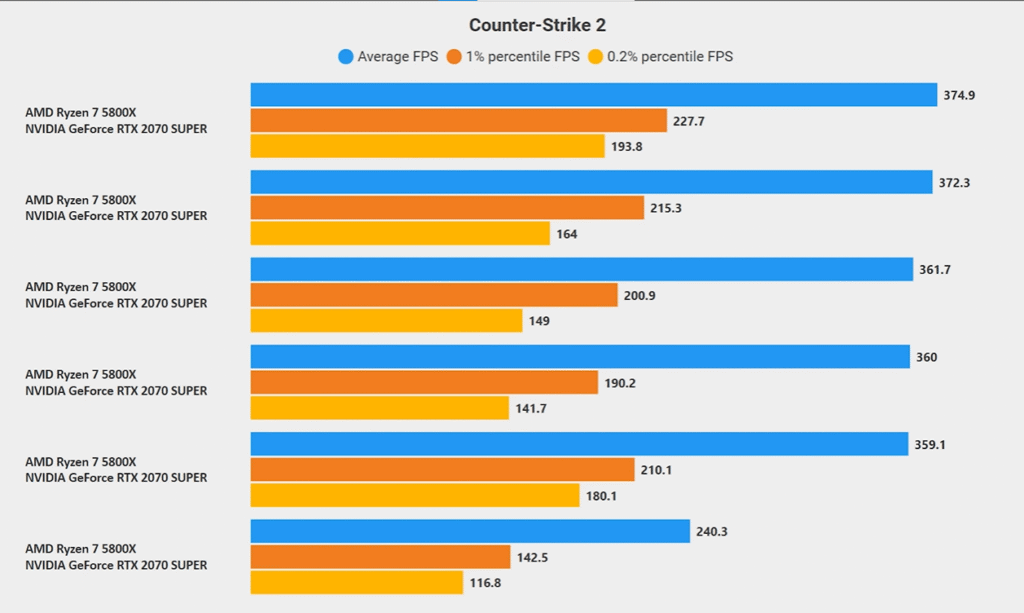
If you’re running an AMD GPU, tuning your Adrenalin settings can boost FPS drastically.
In-Game AMD Settings
- Boost Player Contrast: Enabled
- V-Sync: Disabled
- Anti-Aliasing: CMAA2
- Shadows: Medium
- Texture Detail: Low
- Shader & Particle Detail: Low
- Ambient Occlusion: Disabled
- HDR: Performance
AMD Adrenalin Control Panel Settings
- Radeon Anti-Lag: Enabled
- Radeon Chill / Boost: Disabled
- Wait for Vertical Refresh: Off
- Texture Filtering Quality: Performance
- Surface Format Optimization: Enabled
- Tessellation Mode: Override 2×
- Anti-Aliasing Method: Multisampling
These tweaks mirror what pros like ZywOo and NiKo use to maintain consistent FPS during matches.
4. Fix CSGO Low FPS Good PC Issues
If you’re on a decent system but still getting bad FPS, don’t panic — here’s your troubleshooting checklist.
| Problem | Fix |
| FPS drops despite good GPU | Lower Shader/Shadow detail, disable V-Sync. |
| GPU usage stuck low | Check CS2 black screen on launch or driver issues. |
| Lag after smokes | Disable Ambient Occlusion, lower Particle Detail. |
| Sudden stutters | Close background apps or use CS2 infinite money command to test FPS offline. |
If FPS spikes during online play, you may also need CS2 port forwarding or network tweaks.
5. FPS Boost for Low-End PCs
Use this preset if your rig can’t maintain stable FPS:
| Setting | Recommended |
| Resolution | 1280×960 |
| Display Mode | Fullscreen |
| Contrast Boost | Enabled |
| Shadows | Low |
| AA | Off |
| Texture Detail | Low |
| Shader & Particle Detail | Low |
| Ambient Occlusion | Off |
| HDR | Performance |
Combine these with CS2 launch options for extra optimization.
Also, consider disabling any overlays (Discord, Steam, Radeon) to free GPU resources.
6. Quick Setup Checklist
Update GPU drivers
Set to Fullscreen
Disable V-Sync
Enable Boost Player Contrast
Shadows: Low/Medium
Shader: Low
Ambient Occlusion: Off
Anti-Aliasing: CMAA2
Texture Filtering: Performance
Enable AMD Anti-Lag
Test FPS with cl_showfps 1
Once done, save your config and use a CS2 quickswitch bind to test responsiveness mid-round.
Frequently Asked Questions (FAQs)
Will lowering settings improve my aim?
No — but it’ll improve consistency. Smoother FPS = better tracking and reactions. Pair it with practice on CS2 aim maps.
Should I use FSR or Upscaling?
Only if you absolutely must boost FPS. It can make enemies look softer at a distance.
Why do I get FPS drops mid-match?
Try verifying files, turning off V-Sync, or checking CS2 server lag.
Is Fullscreen better than Borderless?
Yes. Fullscreen mode reduces latency and keeps refresh rates stable — crucial for competitive matches.
How to monitor FPS easily?
Use our Show FPS in CS2 guide for multiple methods including console and overlay tools.
Final Thoughts
CS2 is all about precision, and your video settings play a huge role in that. Whether you’re using AMD GPUs, chasing max FPS, or fixing low performance on good hardware, these settings give you a competitive edge.When paired with strong configs like CS2 quickswitch binds and CS2 grenade camera command, your gameplay feels fluid, responsive, and professional.