




Welcome, gamers! Whether you’re warming up, practising aim or setting up a custom server, bots in Counter-Strike 2 (CS2) are your secret training partners. This guide walks you through everything you need to know about console commands, especially cs2 console commands, cs2 bot difficulty commands, and bot commands cs2 — so you can adapt bots to your style and level up faster.
1. Why Control Bots? What You Can Achieve
Bots aren’t just filler opponents — when used right, they’re powerful training tools. Here’s what you get:
- Practice aim, positioning and strategy without pressure.
- Simulate scenarios (1v5, retake, clutch, grenade line-ups) by adjusting bot behaviour.
- Experiment with loadouts, team sizes and difficulty to build muscle memory before jumping into live matches.
- Troubleshoot weird situations (e.g., bots not reacting, weird path-finding) to understand game mechanics better.
So before diving in, think: “What do I want to train?” — then tailor the bots to that.
Getting Set Up: Enable the Console & Basic Settings
Before issuing commands, you must enable and access the console (the main interface for all commands).
Step-by-step:
- Launch CS2 and go to Settings → Game.
- Find Enable Developer Console (~) and set it to Yes.
- In-game, press the tilde key ~ (or your bound key) to open the console.
- If you plan serious training (e.g., infinite ammo, custom rounds) also enable cheats with:
sv_cheats 1
Note: Using cheats disables official matchmaking, so use this only in private or practice mode.
Pro tip:
Bind the console toggle to a key you’re comfortable with (especially if you use non-US keyboard layouts) so you can open it fast mid-session.
Adding and Removing Bots
Let’s get bots into your match and remove them when you’re done — these are foundational commands.
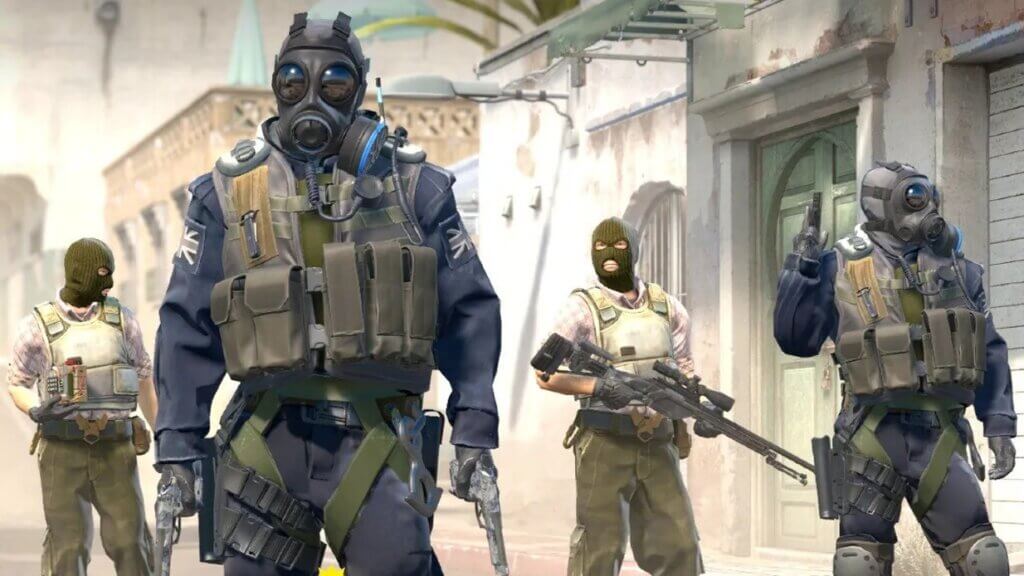
Adding bots
bot_add – Adds a bot to a random team
bot_add t – Adds a bot to Terrorists
bot_add ct – Adds a bot to Counter-Terrorists
You can optionally specify a difficulty (0-easy, 1-normal, 2-hard, 3-expert). Example:
bot_add ct 2
Removing bots
bot_kick – Kicks all bots
bot_kick t – Kicks all Terrorist bots
bot_kick ct – Kicks all CT bots
bot_kill – Kills all bots (they will respawn next round)
Trainer tip:
Start your session with:
mp_limitteams 0
mp_autoteambalance 0
bot_kick
This ensures bots won’t join your team or mess with your scenario. For a more detailed guide, check out how to remove and add bots in CS2.
Controlling Bot Difficulty – “cs2 bot difficulty commands”
Training against bots that are too easy is boring; too hard is frustrating. Here’s how to dial in the sweet spot.
| Command | What it does | Values |
| bot_difficulty <n> | Sets difficulty for all bots currently in game | 0-easy, 1-normal, 2-hard, 3-expert |
| custom_bot_difficulty <n> | Sets custom bots’ difficulty | 0 to 4 |
| sv_auto_adjust_bot_difficulty <0/1> | Toggles automatic difficulty scaling | 0 = disable, 1 = enable |
Example:
bot_difficulty 2
custom_bot_difficulty 2
sv_auto_adjust_bot_difficulty 0
This sets bots to “hard” and disables the game from auto-easing them for you.
For more fine-tuned setups, see our CS2 training server guide.
Behaviour, Loadout & Advanced Bot Commands
Time to take full control — make bots crouch, only carry knives, respawn on death, or mimic you. These deeper customisations separate basic training from advanced drills.
Behaviour & movement
bot_stop 1 → Bots freeze (won’t move or shoot)
bot_crouch 1 → Bots crouch constantly
bot_mimic 1 → Bots mimic your movement/actions
bot_ignore_players 1 → Bots ignore human players
Loadout & weapon control
bot_all_weapons → Bots can buy/use any weapon
bot_knives_only 1 → Bots only use knives
bot_pistols_only 1 → Pistols only
bot_snipers_only 1 → Snipers (AWP/SCOUT) only
Miscellaneous useful ones
bot_place → Places a bot where you are (helpful for aiming drills)
bot_dont_shoot 1 → Bots don’t fire (useful to study movement)
mp_respawn_on_death_t 1; mp_respawn_on_death_ct 1 → Bots respawn instantly after death (for non-competitive drill loops)
Example scenario
Let’s say you want a pistol-only 1v5 scenario for clutch practice:
mp_limitteams 0
mp_autoteambalance 0
bot_kick
bot_add t 2
bot_knives_only 0
bot_pistols_only 1
bot_difficulty 3
sv_auto_adjust_bot_difficulty 0
mp_maxmoney 60000; mp_startmoney 60000
mp_buy_anywhere 1
mp_roundtime 60
mp_restartgame 1
You now have one human vs multiple “expert” bots who only use pistols — ideal for close-range reaction training. Try combining this with CS2 aim training maps for faster improvement.
Practice Scenarios You Can Create
Here are some training setups you can use with bots and commands above:
- Aim warm-up (1v1): One bot, normal difficulty. Use CS2 workshop maps or aim training maps.
- Retake scenario (1v5): Configure team limits, add 5 bots at hard/expert, restrict weapons for you or bots.
- Grenade line-ups: Freeze bots (bot_stop 1) and use bots as moving targets for CS2 smoke practice.
- Movement & positioning drills: Use bot_mimic 1 so bots follow you — you practise leadership & movement while they mirror.
- Clutch simulation: Bot team vs you + one friend. Use mp_buy_anywhere 1 and infinite ammo to keep pace high intensity.
Troubleshooting & Optimisation
Training with bots is great — but sometimes things go sideways. Here’s how to fix common issues:
Bots not responding or weird behaviour
- Ensure you have sv_cheats 1 if using cheat-protected commands.
- Check sv_auto_adjust_bot_difficulty is disabled if you want consistent difficulty.
- Use mp_restartgame 1 after changing several settings to apply them cleanly.
FPS or lag drops
- Commands that visualise bot behaviour (e.g., bot_show_nav, bot_traceview) cost performance — disable them if you see frame drops.
- Reduce bot count if playing on less powerful hardware.
- For optimisation tips, see our CS2 performance guide.
Commands seem not to work
- Make sure the console is enabled.
- Double-check command syntax (spaces, team letters, values).
- Some commands require you to be server admin or host a local server.
Quick Reference Table: Essential Bot Commands
Here’s a compact table you can copy for quick access.
| Command | Description |
| bot_add t/ct [diff] | Add bot to Terrorist or CT team |
| bot_kick [all/t/ct/name] | Remove bot(s) by criteria |
| bot_difficulty <0-3> | Set global bot difficulty |
| custom_bot_difficulty <0-4> | Set custom bots difficulty |
| sv_auto_adjust_bot_difficulty <0/1> | Toggle auto difficulty adjust |
| bot_stop 1 | Freeze bots |
| bot_crouch 1 | Make bots crouch constantly |
| bot_knives_only 1, bot_pistols_only 1 | Restrict bot weapons |
| bot_mimic 1 | Bots mimic player |
| bot_place | Place bot where you are |
For a full breakdown of commands, check the complete CS2 command list.
Wrapping Up: Make Bots Work For You
By now you’ve got a strong toolkit to control bots in CS2 — from enabling the console, adding/removing bots, setting difficulty, to advanced behavioural tweaks. Use these commands in your custom matches to sharpen your skills, experiment, and prepare for the real stuff.
As you practise, make sure you also explore our other guides in the CS2 cluster — for example, check out our CS2 map callouts for Dust II and Inferno, or CS2 pro settings guide for performance optimisation.
Good luck, have fun, and dominate those bots!
FAQ
Q: How do I add bots to my game in CS2?
A: Enable console, then use bot_add, bot_add t, or bot_add ct, optionally with difficulty number.
Q: What command changes bot difficulty?
A: Use bot_difficulty 0/1/2/3 for easy to expert. Also custom_bot_difficulty <n> if using custom bots.Q: Can I modify how bots behave or what weapons they use?
A: Yes — commands like bot_knives_only, bot_pistols_only, bot_mimic, bot_stop, etc., allow deep customisation.