



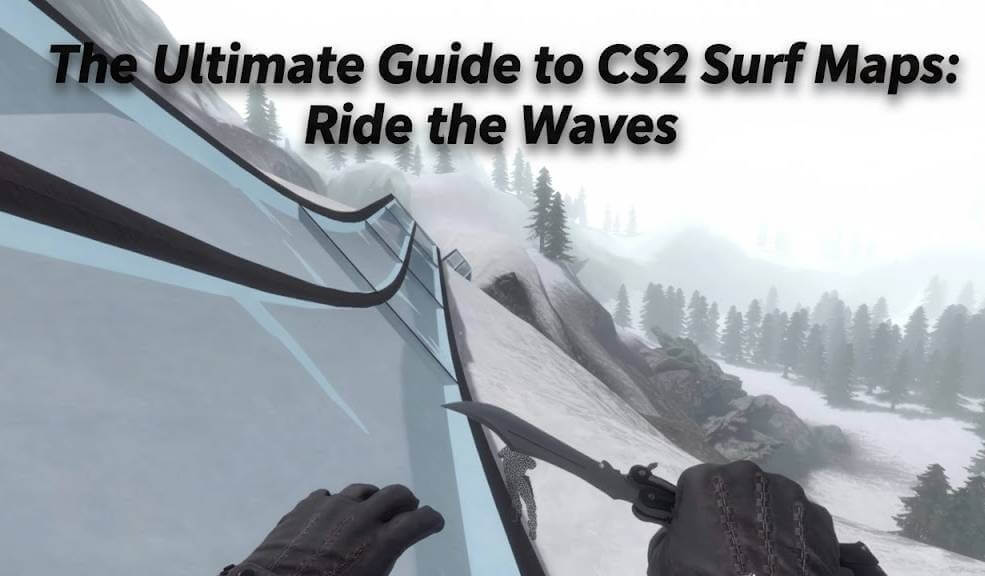
Tired of the intense pressure of competitive matches? Looking for a way to relax, improve your movement, and have a blast with friends? Then it’s time to dive into the world of CS2 surf maps! Surfing is a beloved community game mode where you glide along ramps, using physics and precise mouse movements to maintain speed and complete challenging courses.
This guide will teach you everything you need to know, from the absolute basics of how to surf on a CS surf server to the best maps you should be playing right now. Let’s get you riding the waves like a pro.
What is Surfing in Counter-Strike?
Before we jump in, let’s clarify what surfing actually is. It’s not about oceans or beaches! In CS2, surfing is a movement-based minigame. You slide down “ramps” (angled surfaces) and use air strafing techniques to generate speed and momentum, navigating through intricate maps. It’s a test of skill, patience, and finesse that is incredibly satisfying once you get the hang of it.
If you’re new to community servers in general, our guide on CS2 Community Servers is a great place to start.
How to Surf in CS2: The Basics
So, you’ve joined a surf server and you’re staring at a colorful ramp, unsure what to do. Don’t worry, everyone starts here! The core mechanics are simple to learn but take time to master.
Here’s a step-by-step breakdown of how to surf on CS:
- Find a Ramp: Start by standing on a ramp. You’ll typically spawn on one.
- Let Gravity Do the Work: Do not press the W key. Seriously, forget it exists for surfing! Gravity will naturally pull you down the ramp.
- Steer with Your Mouse and A/D Keys: This is the most important part. To turn left, you look left and gently hold the A key. To turn right, look right and hold the D key.
- Think of it like this: You’re guiding your momentum, not forcing it. Smooth, gradual movements are key.
- Build Speed: By staying centered on the ramp and making smooth turns, you will build velocity. The goal is to maintain this speed to reach the end of the course or perform tricks.
Pro Surfing Tips for Beginners
- Look Where You Want to Go: Your movement follows your crosshair. Always look ahead to plan your route.
- Avoid the W Key: Pressing W kills your speed by creating friction against the ramp. It’s the number one mistake new surfers make.
- Practice Air Strafing: When you launch off a ramp, continue holding A or D while smoothly turning your mouse in that direction to control your flight path. This is essential for connecting ramps.
- Start on Beginner Maps: Don’t jump into a difficult “Tier 6” map. Look for servers with “Beginner” or “Easy” in the title.
For the best experience, you might want to tweak your settings. Using a good CS2 crosshair and optimizing your sensitivity can make a huge difference. Check out our CS2 Crosshair Guide for tips.
Finding the Best CS2 Surf Servers
Knowing how to surf is one thing, but you need a place to practice! Finding a good surf server in CS GO (and now CS2) is crucial for a smooth experience.
How to Find and Join a Surf Server
- Open CS2 and click on “PLAY.”
- Navigate to the “COMMUNITY SERVERS” tab.
- In the search bar, type surf.
- You can filter by players, ping, and map name. Look for servers with low ping and a good number of players.
Many popular community servers have already made the jump to CS2. Keep an eye out for established communities like KSF, SurfHeaven, or Horizon, as they often provide well-maintained servers with a variety of maps.
| Map Name | Difficulty | Why It’s Great |
| surf_utopia | Beginner | A classic starter map with wide, forgiving ramps and a straightforward layout. Perfect for learning the fundamentals. |
| surf_beginner | Beginner | Literally designed for new surfers. It introduces basic concepts in a simple, easy-to-navigate environment. |
| surf_mesa | Intermediate | One of the most popular surf maps of all time. It features a unique aesthetic and a fantastic flow that feels great to master. |
| surf_ski_2 | Intermediate | A beloved map with a great mix of technical surfing and fun, flowing sections. A must-play for any surfing enthusiast. |
| surf_aircontrol | Expert | The ultimate test of your air strafing and control. This map is brutally difficult but incredibly rewarding to complete. |
| surf_ny_platinum | Expert | A long and complex map that requires immense skill and consistency. Beating this is a true badge of honor in the surf community. |
The Best CS2 Surf Maps to Play in 2024
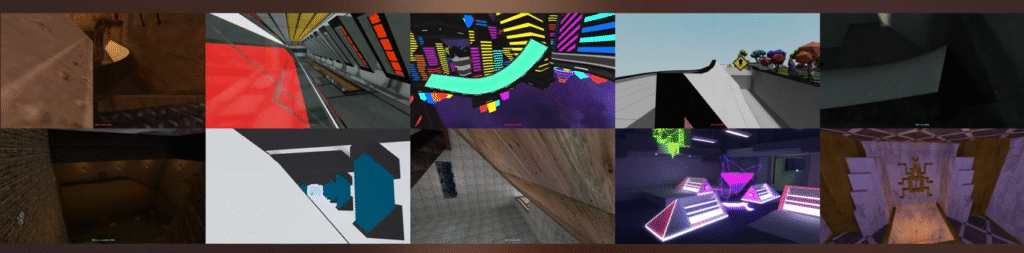
Now for the fun part! Here are some of the most popular and well-designed surf maps that you can find on community servers. These range from beginner-friendly to expert-level challenges.
Want to practice on these maps with friends? Learn how with our guide on how to play workshop maps with friends in CS2.
Why You Should Play Surf Maps
You might be wondering, “Is this really worth my time?” Absolutely! Here’s why surfing is more than just a fun distraction:
- Improves Your Core Movement: The skills you learn in surfing—specifically air strafing and momentum control—directly translate to better movement in competitive matches. Escaping grenades or making a quick peek can feel much smoother.
- It’s a Great Way to Warm Up: Instead of jumping straight into a tense game, spending 10-15 minutes surfing is a relaxed way to get your mouse hand warm and focused.
- A Thriving Community: The surf community is full of friendly and helpful players. It’s a social, low-stakes environment where you can chill and chat while you play.
- Pure, Unadulterated Fun: The feeling of effortlessly gliding through a map at lightning speed after nailing a difficult trick is unmatched.
Ready to Start Surfing?
Surfing in CS2 is a deeply rewarding game mode that offers a perfect break from the ranked grind. It’s easy to pick up, impossible to truly master, and endlessly fun. Remember the golden rule: let go of the W key, trust your A and D, and follow your crosshair.
Now that you know how to surf on a CS surf server, it’s time to put that knowledge into practice. Find a beginner server, load up surf_utopia, and take your first step onto the ramp. The waves are waitingFor more tips on mastering CS2’s mechanics, from grenade lineups to advanced practice commands, be sure to explore the rest of our guides.
Frequently Asked Questions
1. Why do I keep losing speed and falling when I try to surf?
This is almost always because you are pressing the W key. In surfing, the forward key creates friction against the ramp, killing your momentum. Trust gravity and only use the A and D keys to steer while looking in the direction you want to go.
2. What is the best sensitivity for surfing?
While it’s personal preference, most skilled surfers use a lower sensitivity than in competitive play. This allows for the smooth, precise mouse movements needed for air control. You can experiment with the sensitivity settings from our CS2 Pro Settings guide as a starting point.
3. I type ‘surf’ in the server browser but find no servers. What’s wrong?
Make sure you are searching in the “Community Server” tab, not “Official Matchmaking.” If you still see no results, check your filters—ensure the “Map” filter is clear and that you haven’t set a max ping that is too low. For more troubleshooting, see our CS2 Community Servers Not Showing Up guide.
4. What’s the difference between Skill Surf and Combat Surf?
- Skill Surf: The pure form of surfing. The goal is to complete a linear map course as fast as possible without weapons.
- Combat Surf: A chaotic mix of surfing and deathmatch. You surf on a map with weapons and try to eliminate other players. It’s less about finishing the course and more about fast-paced action.
5. Can I practice surfing alone without joining a server?
Yes, but it requires some setup. You can download surf maps from the Steam Workshop and play them offline. You’ll need to use specific CS2 practice commands to enable noclip or restart the map, which you can learn about in our dedicated CS2 Practice Commands guide.