



In Counter-Strike 2, you can improve your movement consistency by binding jump to your mouse scroll wheel — often called the CS2 mwheeldown jump bind.
Instead of pressing Spacebar, you simply scroll your mouse wheel up or down to jump.
Common commands:
bind mwheeldown +jump
bind mwheelup +jump
This tweak is especially loved by players who like smooth bunny-hopping or fast strafes — something that pairs well with guides like CS2 bhop commands.
Why Use a Scroll Wheel Jump Bind in CS2?
Here’s why players — from casuals to pros — use it:
Advantages:
- Better consistency: Scroll inputs are faster and more precise than spacebar tapping.
- Fluid movement: Keep your thumb on movement keys while jumping, ideal for strafes and peeks.
- Comfort: Easier on your hand during long sessions.
Drawbacks:
- Accidental jumps: A loose mouse wheel can trigger unwanted jumps.
- Weapon switching loss: You’ll lose default scroll-to-switch functionality unless you remap it.
- Hardware variance: Not all mouse wheels have equal tension.
If you’re working on improving movement overall, check out our CS2 peekers advantage breakdown — timing is everything.
How to Bind Jump to Scroll Wheel in CS2
Step 1: Enable Developer Console
- Launch CS2.
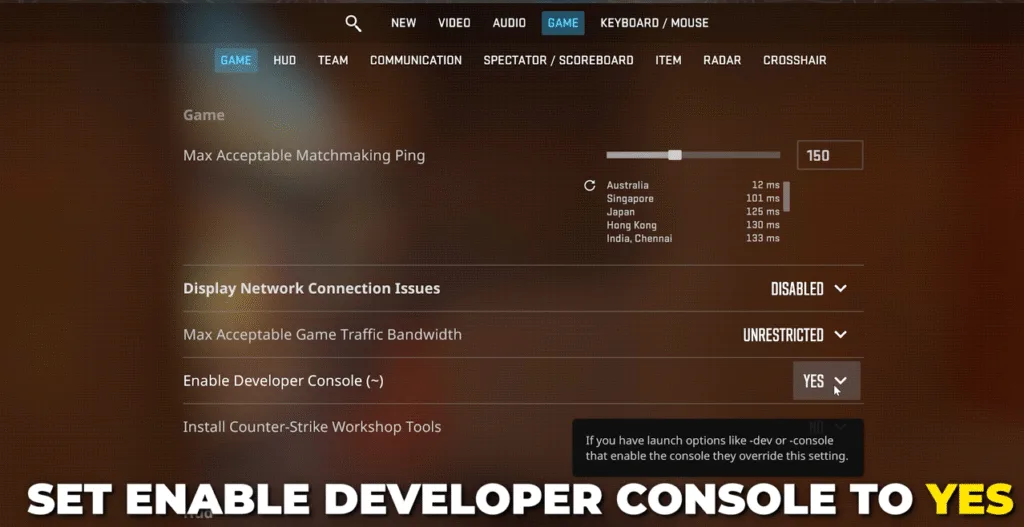
- Go to Settings → Game → Enable Developer Console (~) → set to Yes.
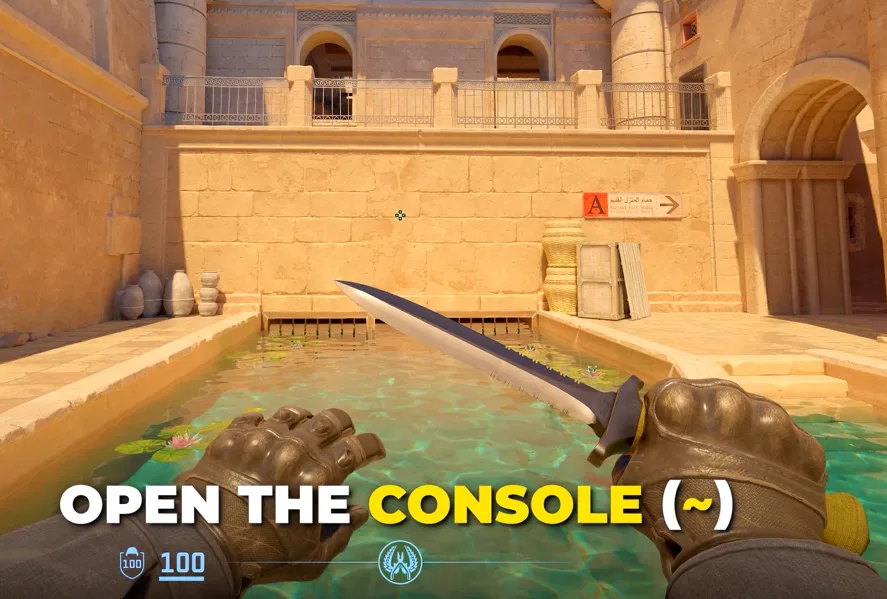
- Press ~ (tilde) to open the console.
If you’ve never used console commands before, our CS2 launch options guide explains how to enable developer tools properly.
Step 2: Enter the Bind Command
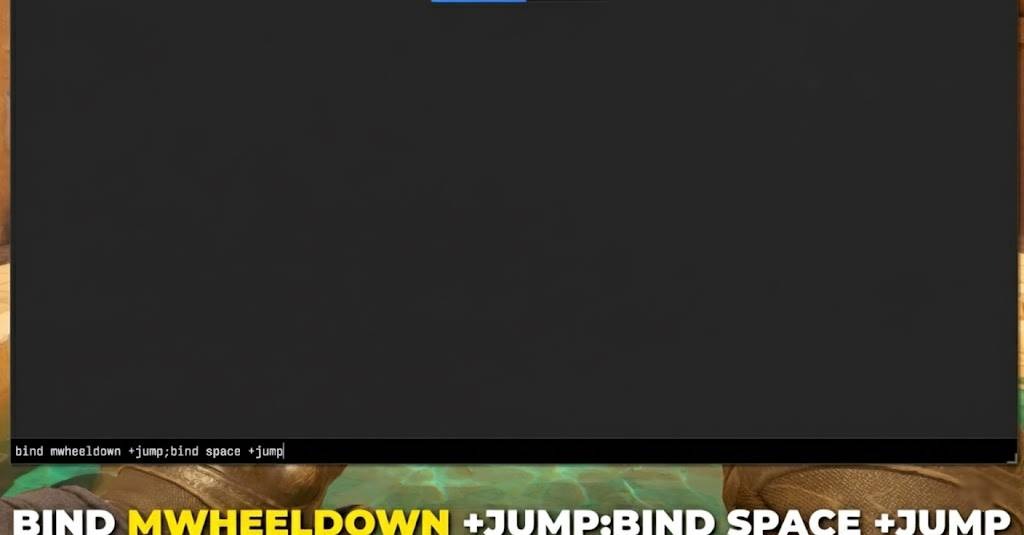
Type one of the following commands:
- Scroll down jump:
bind mwheeldown +jump
- Scroll up jump:
bind mwheelup +jump
Both directions (recommended):
bind mwheeldown +jump; bind mwheelup +jump; bind space +jump
Now, when you scroll, your agent jumps instantly.
If you’re practicing movement maps, see our CS2 surf commands guide — it works perfectly with scroll-jump setups.
Step 3: Optional — Keep Weapon Switching
If you want scroll for weapon switching and jumping:
bind mwheeldown invnext
bind mwheelup invprev
bind space +jump
You can also set alternate keys for fast utility swapping using CS2 grenade binds.
Step 4: Save It Permanently with autoexec.cfg
To make the bind load every time you launch CS2:
- Locate your autoexec.cfg file in …\Steam\steamapps\common\Counter-Strike Global Offensive\game\csgo\cfg.
- Add your bind commands there.
- Launch CS2 and type exec autoexec.cfg once.
You can learn more about file paths and configs in CS2 dedicated server setup.
Best Variations for Scroll Wheel Jump
| Variation | Command | Why Use It |
| Scroll down only | bind mwheeldown +jump | Most common; reduces accidental scroll-up jumps |
| Scroll up only | bind mwheelup +jump | Alternative for players preferring scroll-up feel |
| Both directions | bind mwheeldown +jump; bind mwheelup +jump | Smoothest for bhop consistency |
| With spacebar | bind mwheeldown +jump; bind space +jump | Keeps spacebar functional |
Want to polish your mechanics further? Try adjusting your CS2 raw input settings for more responsive mouse control.
Pro Tips for Using MWHEELDOWN +JUMP
- Combine it with +duck binds for precise crouch jumps — great when peeking angles on maps like Inferno or Overpass.
- Experiment in surf or bhop servers to build muscle memory.
- Check your FPS with our CS2 show FPS guide — smooth frames = smoother jumps.
- If you want pro inspiration, see ZywOo CS2 settings or s1mple CS2 settings.
Frequently Asked Question (FAQs)
Q: Is binding jump to scroll wheel allowed in CS2 ranked or FACEIT?
Yes! Scroll wheel jump binds are 100% allowed in matchmaking, Premier, and FACEIT.
Q: Can I use both Spacebar and scroll wheel for jump?
Absolutely. Just include bind space +jump in your command line.
Q: My scroll jump doesn’t work after restarting CS2 — why?
You might not have saved your command in autoexec.cfg. Follow the steps above to fix it.
Q: Does scroll jump help with bunny hopping?
It helps with consistency, not skill. You’ll still need timing — check our CS2 bhop commands guide for practice tips.
Q: Can I combine this with jump-throw bind?
Yes. Scroll-jump is for movement, while jump-throw bind in CS2 is for lineups. They work perfectly together.
Final Thoughts
The CS2 mwheeldown jump bind is one of the simplest upgrades you can make for better control and smoother movement.
It’s quick to set up, tournament-legal, and instantly improves how consistent your jumps feel.
If you’re already experimenting with advanced setups, check out:
- CS2 4:3 resolution guide — for improved focus while bhopping.
- M4A4 spray pattern guide — to pair jump movement with recoil control.
- How to clear decals in CS2 using a bind — another simple command that boosts clarity mid-fight.
Once you get used to scroll-wheel jumping, you’ll never go back to spacebar spamming again.