



If CS2 looks too dark, shadows feel too deep, or enemies become hard to spot, adjusting your gamma settings can instantly improve visibility. The CS2 gamma command is one of the best ways to brighten your game without losing contrast — and it can give you a big advantage, especially on maps like Inferno, Nuke, or Ancient.
If you’re optimizing visibility and performance, you may also want to tweak your input settings. For that, check out my guide on CS2 Mouse Acceleration:
What Is the CS2 Gamma Command?
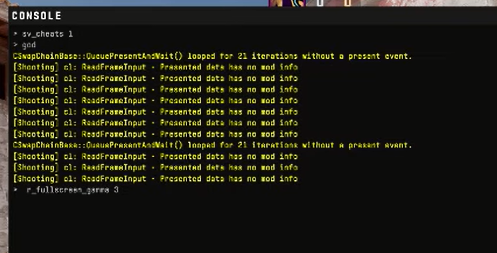
The gamma command lets you fine-tune your game’s brightness curve beyond the in-game slider.
CS2 Gamma Command Syntax
r_fullscreen_gamma X
Where X is your brightness (gamma) value.
Example:
r_fullscreen_gamma 1.8
Why Adjust Gamma in CS2?
- Makes dark corners easier to see
- Helps detect players hiding in shadows
- Improves clarity on maps with lots of contrast like Ancient, Nuke, and Inferno
- Helpful if your monitor is naturally dim
- Makes lighting more consistent across matches
If you’re practicing callouts on darker maps, here’s a helpful resource:
Ancient Callouts CS2 Guide:
Best CS2 Gamma Values (Recommended Settings)
| Player Type | Recommended Gamma | Benefit |
| Competitive Players | 1.8 – 2.0 | Best shadow visibility |
| Casual Players | 1.8 | Balanced lighting |
| Dark Monitors | 2.0 – 2.2 | Maximum clarity |
| Color Accuracy Lovers | 1.6 – 1.8 | Natural lighting |
How to Use the Gamma Command in CS2
Step-by-Step
- Open CS2
- Press ~ to open the developer console
Type:
r_fullscreen_gamma 2
- Press Enter
- Your game brightness updates instantly
Make It Permanent
If you use an autoexec, add:
r_fullscreen_gamma 1.9
If you’re setting up configs for better gameplay, you might like:
CS2 Binds Guide:
Does CS2 Still Have a Brightness/Gamma Slider?
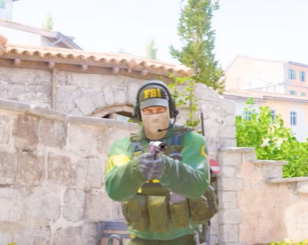
Unlike CS:GO, CS2 removed some old brightness commands (like mat_monitorgamma).
Now, the main brightness command is:
r_fullscreen_gamma
For more useful console tweaks, see:
CS2 Practice Commands:
CS2 Gamma Not Working? Try These Fixes
Fix 1 — Switch to Fullscreen Mode
Fullscreen Exclusive allows the command to override system gamma.
Fix 2 — Disable HDR
HDR can override gamma adjustments.
Fix 3 — Update GPU Drivers
Especially important for laptops and high-refresh monitors.
Fix 4 — Reset Config
Use:
exec default
If you’re dealing with bigger launch issues, see this guide:
CS2 Black Screen on Launch:
Best Gamma Settings for Popular Monitors
| Monitor Type | Recommended Gamma |
| IPS (144Hz) | 1.8 – 2.0 |
| TN (240Hz Pros) | 1.9 – 2.1 |
| VA | 1.7 – 1.9 |
| Laptops | 2.0 – 2.2 |
If you’re aiming for pro-level visibility, you may also find these helpful:
CS2 Pro Settings:
How to Change FOV in CS2:
Frequently Asked Question (FAQs)
1. Does CS2 have mouse acceleration?
Yes, CS2 does include mouse acceleration, but it is turned off by default for most players. However, Windows mouse settings or certain config variables can still cause acceleration if they aren’t properly disabled.
2. How do I disable mouse acceleration in CS2?
You can disable mouse acceleration in CS2 by using these console commands:
m_customaccel 0
m_customaccel_scale 0
m_mouseaccel1 0
m_mouseaccel2 0
Also ensure that Windows Enhanced Pointer Precision is turned off.
3. Should I turn off mouse acceleration in CS2?
Yes—almost all competitive CS2 players disable mouse acceleration. Turning it off ensures consistent mouse movement, better flick accuracy, and repeatable muscle memory.
4. Why does my aim feel inconsistent in CS2?
Inconsistent aim is often caused by:
- Windows Enhanced Pointer Precision being ON
- Using unstable polling rates
- Mouse acceleration accidentally being enabled
- Bad surface or mouse sensor issues
Disabling acceleration usually fixes most aim inconsistency problems.
5. How can I check if mouse acceleration is active in CS2?
You can confirm by:
- Typing m_customaccel in console (should be 0)
- Turning off Enhanced Pointer Precision in Windows
- Testing with in-game raw input ON
Final Tips for Better Visibility in CS2
- Use Fullscreen Exclusive
- Avoid pushing gamma too high (over-bright = washed out)
- Adjust per map — Inferno and Ancient often need higher gamma
- Combine gamma with Nvidia/AMD color filters for best clarity
- Also optimize your viewmodel:
If you’re focusing on competitive improvement, check this too:
How to Get Better at CS2