



If you’re new to the world of Counter-Strike or coming back after CS2, this guide will walk you through how to download CS:GO, install it, and get into the action all safely and easily.
Why You Should Play CS:GO
Counter-Strike: Global Offensive is a competitive first-person shooter loved by millions. Whether you enjoy competitive matches, casual fun, or exploring custom maps, CS:GO has something for everyone. If you’re also curious about CS2 strategies, we have detailed guides for popular maps like Mirage callouts and Dust 2 callouts.
System Requirements
Before downloading, ensure your PC meets the basic requirements:
| Requirement | Minimum | Recommended |
| OS | Windows 7 | Windows 10/11 |
| CPU | Intel Core 2 Duo E6600 | Intel i5-4460 |
| RAM | 2 GB | 8 GB |
| GPU | DirectX 9 compatible | DirectX 11 compatible |
| Storage | 15 GB | 15 GB |
| Internet | Broadband | Broadband |
Where to Download CS:GO
The safest and official way is via Steam. Avoid third-party sites—they may contain malware.
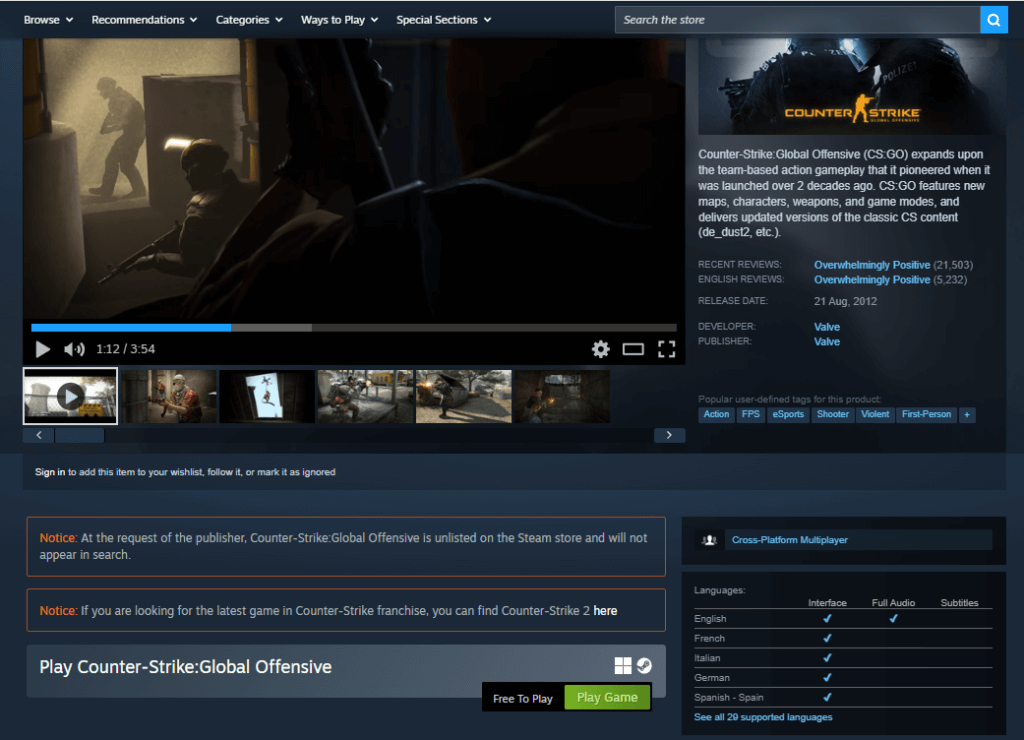
- Install Steam: Go to https://store.steampowered.com and download the Steam client.
- Create a Steam Account: If you don’t have one, create an account—it’s free.
- Find CS:GO: Use the search bar and select Counter-Strike: Global Offensive.
Pro Tip: If you want to explore CS2 content alongside CS:GO, check our CS2 beginner guides.
How to Download CS:GO
Here’s a step-by-step process:
- Open the Steam client and log in.
- Navigate to the Store tab.
- Search for CS:GO.
- Click Play Game (CS:GO is free).
- Steam will install the game automatically.
- Launch the game from your Library once installation finishes.
Tip for returning players: Keep CS:GO updated to access the latest features and avoid bugs.
Setting Up CS:GO for the Best Experience
Once installed, tweak your settings for smooth gameplay:
- Graphics Settings: Set according to your system’s performance. Check our CS2 video settings guide for inspiration.
- Mouse & Crosshair: Adjust sensitivity and crosshair; see pro setups like s1mple CS2 settings.
- Network: Use wired internet for stable connection. Enable net graph (net_graph 1) to monitor FPS and ping.
How to Play CS:GO
CS:GO offers multiple modes:
- Competitive – Ranked matches, requires teamwork and strategy.
- Casual – Practice with friends without pressure.
- Deathmatch – Improve aim in respawn-based combat.
- Danger Zone – Battle Royale mode for solo or squad play.
For map mastery, you can refer to our CS2 maps guide for overlapping strategies.
Common Questions
Q: Can I play CS:GO offline?
Yes, Steam allows offline mode, but some features require internet.
Q: How much does CS:GO cost?
CS:GO is free to play. Optional in-game purchases include skins and cases.
Q: Can I use CS2 strategies in CS:GO?
Many mechanics and map knowledge overlap. Check our CS2 practice guides to improve your gameplay.
Safety & Tips
- Only download from Steam to avoid malware.
- Enable Steam Guard for account protection.
- Regularly update your graphics drivers.
For in-depth competitive setups, check guides like best CS2 crosshair setups or pro settings.
Next Steps
Once you’ve downloaded CS:GO and set up your account, practice your skills! Explore maps, aim training, and join your first competitive match. You can also enhance your CS:GO experience by learning CS2 strategies and callouts:
- Mirage Callouts
- Inferno Callouts
- Dust 2 Callouts
Key Takeaways
- Always download CS:GO via Steam.
- Ensure your PC meets system requirements.
- Set up graphics, mouse, and network settings for optimal play.
- Explore both CS:GO and CS2 guides to level up faster.