



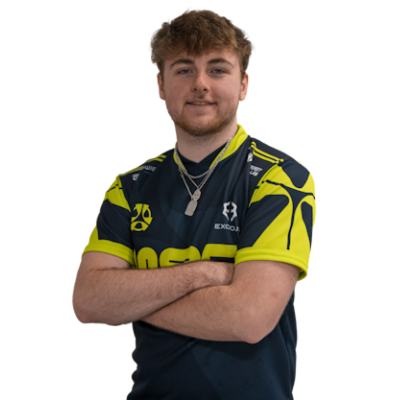
If you want to play like Lake, one of the most promising riflers in CS2 this guide breaks down his current CS2 settings and explains exactly how to use them to improve your gameplay. This isn’t a blind copy-paste; you’ll understand why these configurations work and how to adapt them to your style for maximum performance.
Who Is Mason Sanderson “Lake” ?
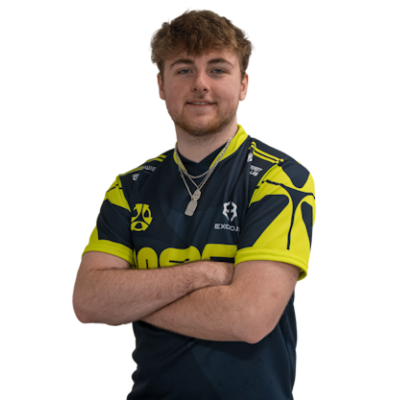
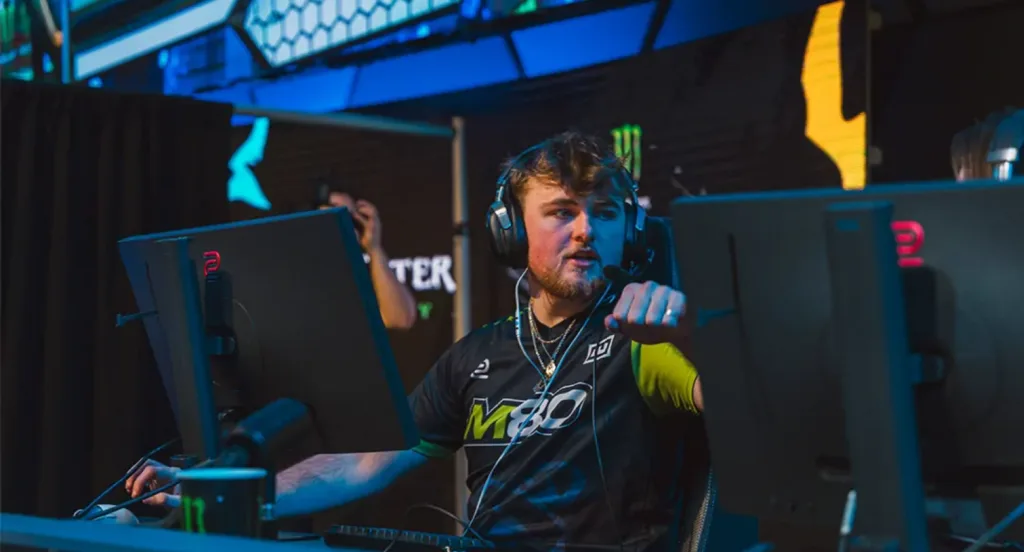
Lake is an American CS2 rifler currently playing for the professional team M80. Known for his precise aim and strong mechanical fundamentals, Lake has quickly become a favorite among competitive players. His setup is designed to balance speed, accuracy, and visual clarity, making it ideal for aggressive yet controlled playstyles.
For perspective, you can compare Lake’s style to other pros like Yekindar and Ropz, who have slightly different approaches to sensitivity and crosshair setups.
Why Pro Settings Matter
Pro settings aren’t just numbers; they affect your aim, reaction time, and consistency. Key areas to focus on include:
- Aim precision: Proper DPI and sensitivity allow for controlled flicks and smooth tracking.
- Visual clarity: Crosshair, viewmodel, and resolution settings help you spot enemies faster.
- Performance: Optimized video and hardware settings prevent FPS drops and stuttering.
- Consistency: Using an autoexec ensures your settings stay the same every match.
To understand these fundamentals, check out guides like best sensitivity for CS2 and how to change viewmodel in CS2.
Mouse & Sensitivity Settings
Lake’s mouse settings are fine-tuned for high responsiveness without sacrificing control.
| Setting | Value |
| DPI | 800 |
| In-Game Sensitivity | 1.25 |
| eDPI | 1000 |
| Zoom Sensitivity | 1 |
| Windows Sensitivity | 6 |
- Why it works: A moderate DPI with a slightly higher in-game sensitivity allows for fast turns and accurate tracking.
- Tip: Always disable mouse acceleration in Windows to maintain muscle memory.
For more guidance, see our best DPI for CS2 guide.
Crosshair Settings
Lake uses a minimal crosshair designed for maximum precision.
CS2 Crosshair Code:
CSGO-SOaWM-HRGwS-3p7tJ-XpCDX-hYXTB
| Property | Value |
| Style | Classic Static |
| Color | Cyan |
| Size | 2 |
| Thickness | 0 |
| Gap | -2 |
| Dot | Off |
| Outline | Yes |
- Why it works: A small, high-contrast crosshair reduces distractions while keeping your shots precise.
- Tip: Test crosshairs in warmup maps before using them in ranked games.
For customization, see how to change crosshair in CS2.
Viewmodel Settings
Lake keeps his viewmodel minimal to maximize enemy visibility:
viewmodel_fov 68
viewmodel_offset_x 2.5
viewmodel_offset_y 0
viewmodel_offset_z -1.5
viewmodel_presetpos 2
- Why it works: A low-offset viewmodel reduces weapon clutter on screen while keeping hands and gun visible enough for recoil control.
- Tip: Adjust offsets slightly if the gun blocks important angles.
Learn more in how to change viewmodel in CS2.
Video & Display Settings
Pro settings also optimize visual clarity and FPS.
| Setting | Value |
| Resolution | 1280×960 |
| Aspect Ratio | 4:3 |
| Display Mode | Fullscreen |
| Brightness | ~93% |
| Scaling Mode | Stretched |
- Why it works: 4:3 stretched resolution makes enemies appear larger horizontally, making tracking easier.
- Tip: Lower graphics to increase FPS without impacting visibility.
See our CS2 video settings guide for in-depth optimization tips.
Hardware Influence
Lake pairs his settings with competitive-grade gear:
- Monitor: High-refresh competitive display
- Mouse: Logitech G Pro X Superlight
- Keyboard: Wooting 60HE
- Headset: HyperX Cloud II
- Tip: High-refresh monitors reduce motion blur, while a lightweight mouse allows faster reactions.
For more hardware advice, see best CPU for CS2.
Autoexec Commands
To lock in Lake’s settings consistently, use this in your autoexec.cfg:
sensitivity “1.25”
zoom_sensitivity_ratio_mouse “1”
cl_crosshairstyle “4”
cl_crosshairsize “2”
cl_crosshairgap “-2”
cl_crosshairthickness “1”
cl_crosshairdot “0”
viewmodel_fov “68”
viewmodel_offset_x “2.5”
viewmodel_offset_y “0”
viewmodel_offset_z “-1.5”
- Add +exec autoexec.cfg to your CS2 launch options.
- Learn more in CS2 autoexec guide.
Comparing Pros
- Aggressive aim: EliGE CS2 settings
- Balanced setup: ZywOo CS2 settings
- Fast NA play: Stewie2k CS2 settings
- Tip: Compare pros to find what works best for your reaction time and tracking preferences.
Practice Tips
Lake’s settings are only effective when paired with intentional practice:
- Warmup maps and aim trainers
- Retake servers
- Spray control drills
Check guides like CS2 practice commands and how to get better at CS2 to structure your routine.
Common Mistakes
- Changing sensitivity too often
- Ignoring Windows pointer calibration
- Skipping warmup practice
- Using high graphics on low-end PCs
Avoid these mistakes to get the most out of Lake’s setup.
Final Words
Lake’s CS2 settings combine precision and responsiveness, making them ideal for players who want to improve quickly. Use this guide, pair it with regular practice, and adjust hardware and video settings for optimal performance.
Additional resources: best CS2 loadout and CS2 radar settings.