




If you’ve ever set up your perfect crosshair, binds, or viewmodel in Counter-Strike 2 only to lose it after reinstalling, you already know how frustrating it is. That’s where knowing the CS2 config location comes in. Your configuration files (cfg) store everything from sensitivity to custom binds, and learning how to manage them will save you tons of time.
In this guide, we’ll walk you through:
- Where to find your CS2 config files.
- How to create, save, and copy configs.
- Using autoexec.cfg to load your settings automatically.
- Common config file issues and how to fix them.
What is a CFG File in CS2?
A cfg file (short for configuration file) is a text-based file that tells the game which settings or commands to load. The cfg file extension is widely used in Counter-Strike because it makes it easy to share setups between players.
Pro players like s1mple’s or ZywOo’s are stored in cfg files, which fans often copy to replicate their setups.
CFG files can contain:
- Crosshair settings
- Viewmodel and bob commands
- Buy binds (learn how to set them here)
- Radar adjustments
- Audio preferences
Where is the CS2 Config Location?
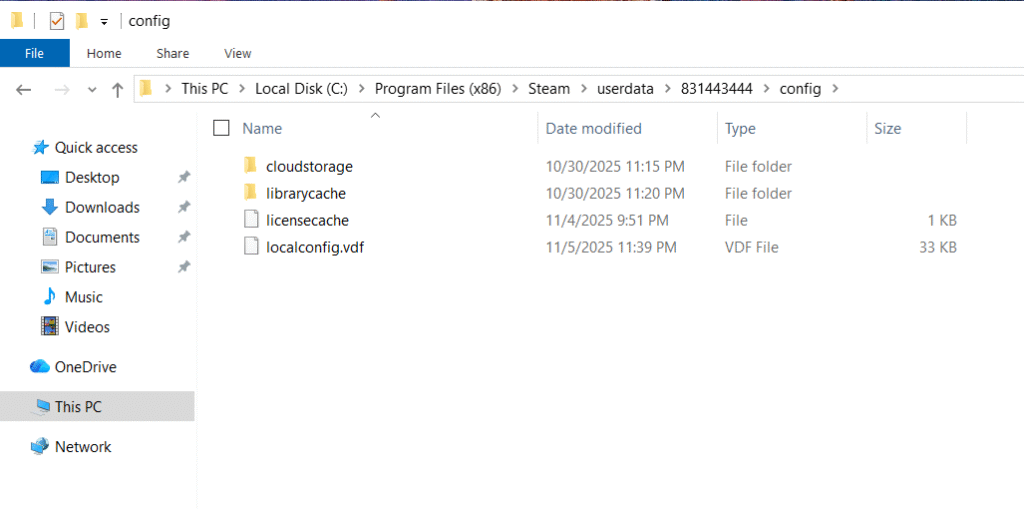
By default, CS2 stores your configs in the Counter-Strike directory under your Steam userdata folder.
Typical path:
Steam\userdata\<yourSteamID>\730\local\cfg
Here’s what each part means:
- userdata – where Steam stores game-related settings.
- 730 – the Steam ID for Counter-Strike 2.
- cfg – the folder where all your CS2 cfg files live.
If you’re coming from CSGO, you’ll notice the structure is similar to the Counter-Strike Global Offensive cfg folder.
How to Save Your CS2 Config
If you’ve customized your settings and want to keep them safe, here’s how:
- Navigate to your CS2 config location.
- Copy your config.cfg file.
- Paste it somewhere safe (like cloud storage or a USB).
That’s it — now you won’t lose your setup after reinstalling.
For reference, this works similarly to how players save their CS2 launch options for consistency.
How to Copy a CS2 Config
Sharing configs is common in the CS2 community. To do this:
- Find your config.cfg or autoexec.cfg in the cfg folder.
- Copy the file.
- Paste it into another PC’s same CS2 config location.
Pro tip: if you download a config online, always double-check commands before using it to avoid malicious binds.
CS2 Autoexec Location & Example
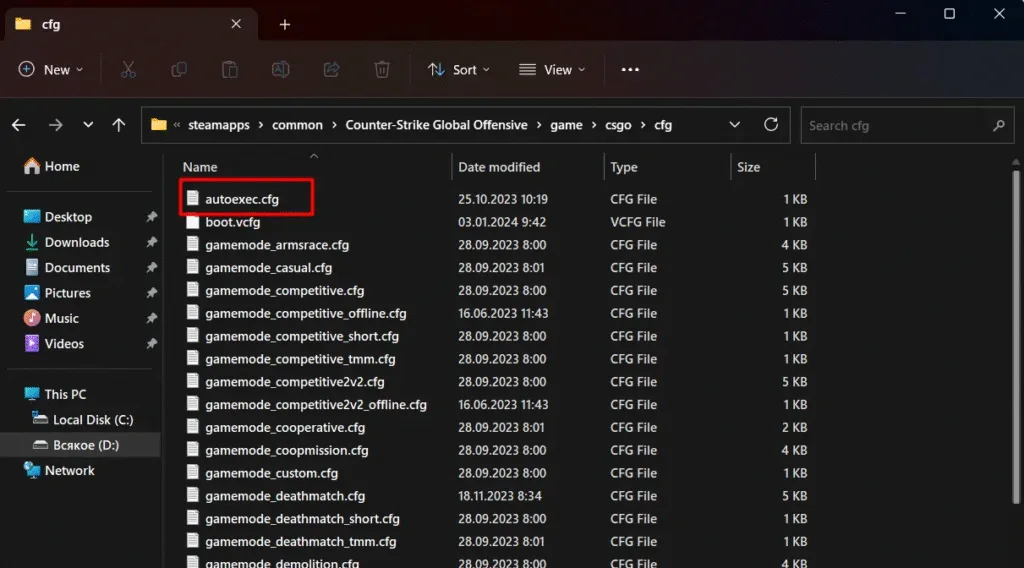
An autoexec.cfg is a special config file that loads automatically whenever CS2 starts. This is where you put all your favorite commands so you never have to re-enter them.
Autoexec location:
Steam\userdata\<yourSteamID>\730\local\cfg\autoexec.cfg
Here’s a simple CS2 autoexec example:
cl_crosshairsize “2.5”
rate “786432”
bind “F” “+lookatweapon”
Once created, make sure you add +exec autoexec.cfg in your CS2 launch options.
How to Make a Text Document a Config File
- Open Notepad (or any text editor).
- Write the commands you want (e.g., cl_showfps 1).
- Save the file as autoexec.cfg (select All Files and use .cfg as the extension).
- Place it inside your CS2 cfg folder.
That’s it — you’ve just made your own config file.
Other Useful Config-Related Tips
- How to set custom time on CS2: You can use commands in your autoexec to change round timers for practice.
- CS2 demo folder: If you’re reviewing past matches, demos are stored separately in cs2\demos. Useful when paired with demo controls.
- SPT config files missing: If Steam fails to sync configs, manually back them up as shown above.
Troubleshooting Config Issues
- If CS2 isn’t loading your autoexec, check your launch options.
- If your config resets, make sure Steam Cloud isn’t overwriting your files.
- Always double-check that your cfg files are in the right folder.
Final Thoughts
Mastering your CS2 config isn’t just about convenience — it’s about consistency. Whether you’re practicing with CS2 grenade binds, grinding through ranked (CS2 ranks guide here), or experimenting with crosshairs, saving your configs ensures your setup follows you everywhere.
Take the time to learn where your CS2 cfg files live, how to save them, and how to use an autoexec.cfg. Once you’ve done that, you’ll never lose your perfect setup again.